
Extra Tools Odoo 19.0 On Odoo Apps
Approval Workflow
Multi-level approval for sales orders, purchase orders and invoices, driven by amount bands and conditions.
- Category
- Extra Tools
- Odoo version
- Odoo 19.0
- Price
- USD 89
- Odoo Apps Store
- Listed
Stop documents leaving the building without a signature. Sales orders, purchase orders and invoices can each be held until the right people have approved them.
Screenshots
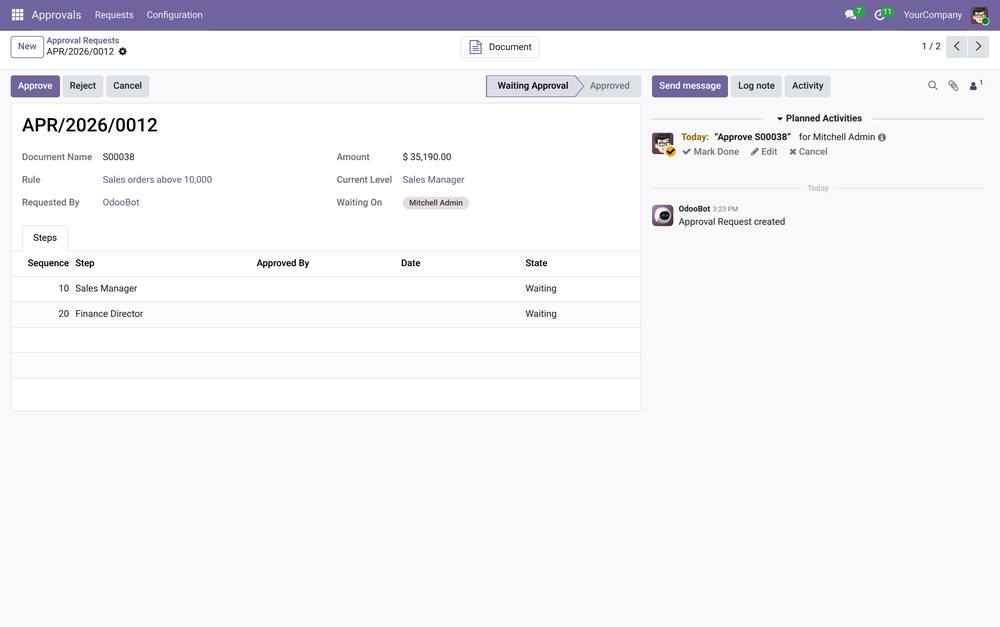
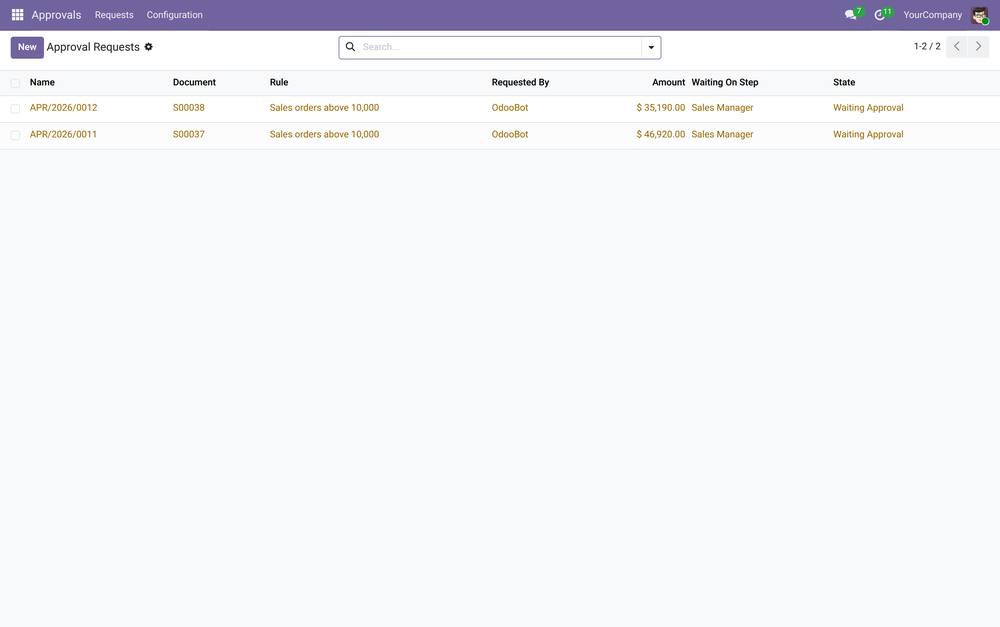
Approval Workflow running in Odoo 19.0.
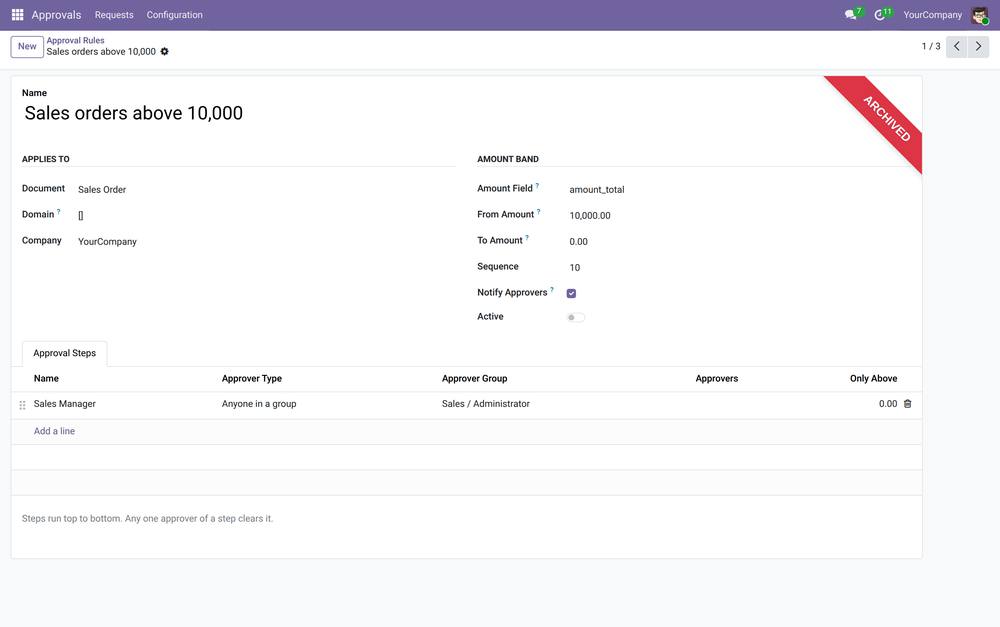
Rules
- ✓ One rule per document type, narrowed by an Odoo domain and an amount band
- ✓ Rules are ordered; the first one that matches owns the document
- ✓ Several rules can coexist, for example a light rule under 5,000 and a stricter one above it
Levels
- ✓ As many approval steps as you need, in order
- ✓ Each step is either a list of named users or anyone in a group
- ✓ A step can be skipped below a threshold, so only large documents reach the director
- ✓ Approvers get a to-do activity when their turn arrives
In use
- ✓ Confirming or posting a document that needs approval sends it for sign-off instead of letting it through
- ✓ Approve or reject from the document itself, or from the request
- ✓ A rejection can be sent round again once the document is corrected
- ✓ Every step is stamped with who approved it and when, in the chatter
- ✓ Nothing is enforced until you create a rule, so installing the module changes no existing behaviour.
What you get
- →Full module source code: Python, OWL, XML and CSS
- →Installation on your Odoo instance, or a copy you install yourself
- →Written documentation and a user guide
- →A one-hour walkthrough with your team
- →90 days of bug-fix support
Buy it on the Odoo Apps Store
Approval Workflow is published on apps.odoo.com at USD 89. Buy there and you get every update we publish for that version.
View on Odoo AppsNeed it to work a little differently?
Every module here started as a client request. Tell us what is missing and we will quote the change, or build the thing you actually need.