
Gantt View for Odoo 19 Community
Gantt planning board with a real scheduling engine: dependencies, automatic rescheduling, critical path, resource conflicts and a printable planning sheet.
- Category
- Project
- Odoo version
- Odoo 19.0
- Price
- USD 199
- Odoo Apps Store
- Listed
A planning board and, behind it, the scheduling engine that makes a Gantt chart worth having. The chart draws what the engine works out: links between tasks, dates that move when something slips, the chain that decides the finish date, and the moments a resource is booked twice.
Screenshots
Gantt View for Odoo 19 Community running in Odoo 19.0.
The engine
- ✓ Four link types: finish to start, start to start, finish to finish and start to finish, each with a lag in working days that may be negative
- ✓ Move a task and everything that depends on it follows, in one pass, in dependency order. Work on a parallel branch does not budge
- ✓ Weekends carry no duration, so a two day task starting on Friday finishes on Tuesday. Turn that off per plan
- ✓ Tasks can be pinned, or held to a constraint (start no earlier than, must start on). The engine reports the fixed dates the network cannot honour rather than moving them behind your back
- ✓ A link that would close a loop is refused when it is saved, and the error names the tasks that form the circle
- ✓ Critical path: early and late dates, total float per task, and the tasks with none of it
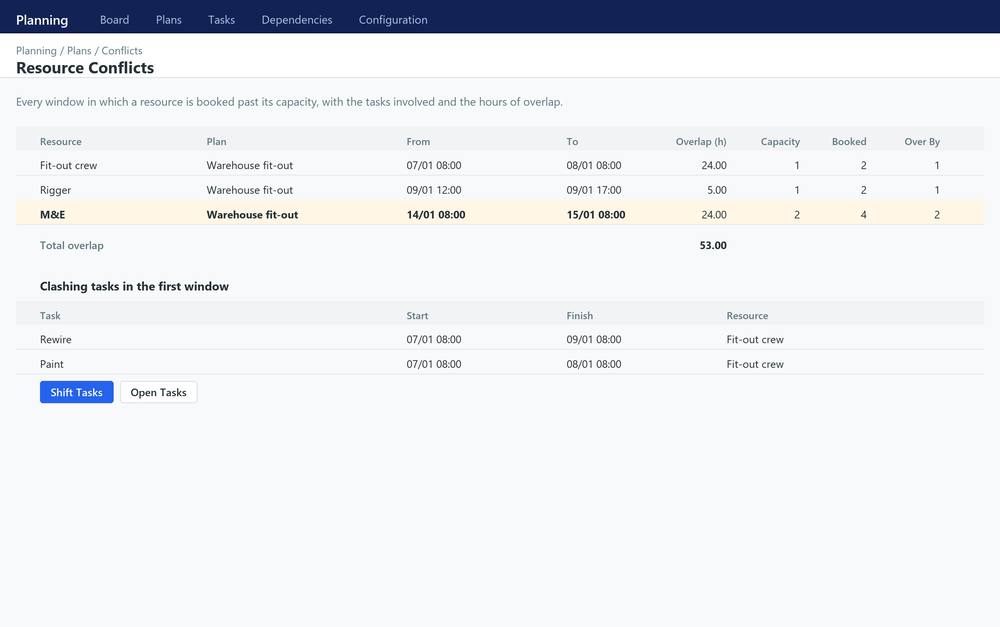
- ✓ Resource conflicts: every window where a resource is booked past its capacity, with the tasks involved and the hours of overlap
The board
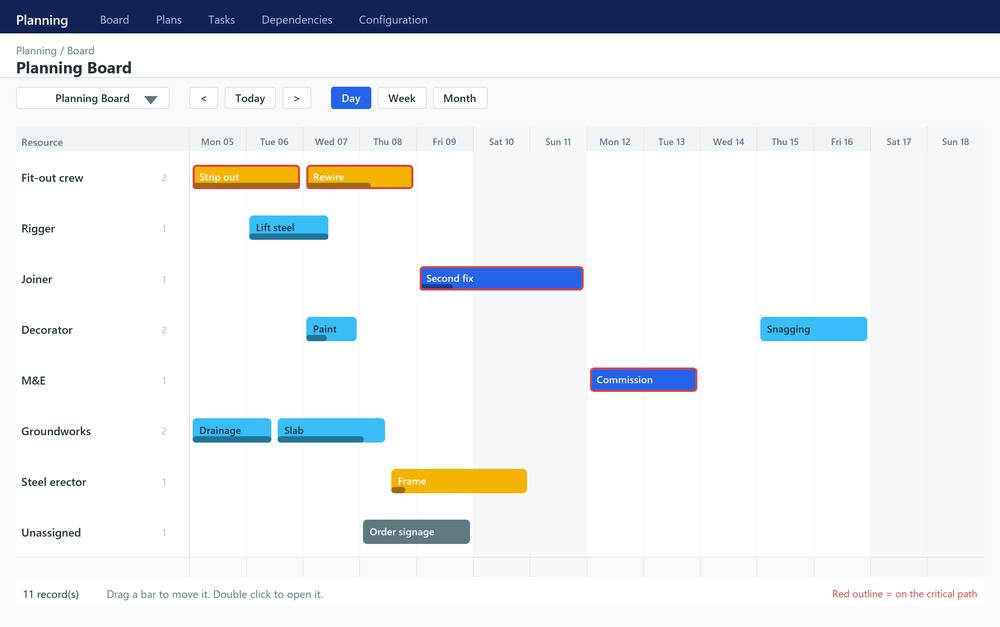
- ✓ One row per resource, or per any other field you nominate
- ✓ Bars carry their progress, their colour and a mark when they sit on the critical path
- ✓ Drag a bar to a new date. The drop goes through the ordinary write, so the cascade and every constraint apply exactly as they do on the form
- ✓ Day, week and month scales, and a window you can pan
Any model, not just ours
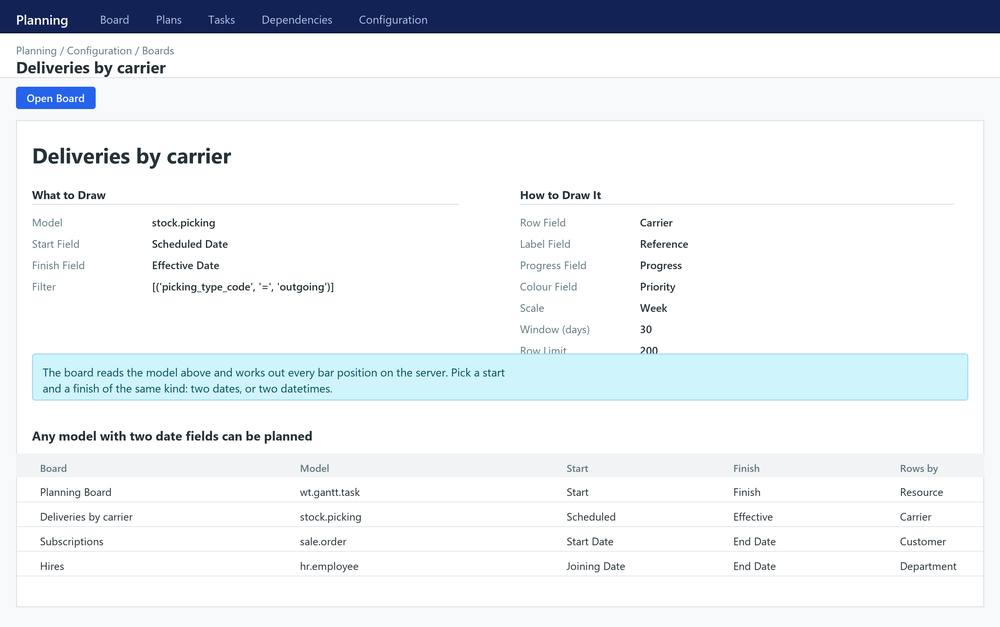
- ✓ A board is a configuration record: name a model, the field that starts a bar and the field that ends it, then optionally a field to group the rows by, a progress field and a colour field. Deliveries by carrier, subscriptions by customer, hires by department: anything with two date fields can be drawn. The rows, the sorting and the position and width of every bar are worked out on the server, so the browser only places what it is handed.
Printing
- ✓ A planning sheet for any plan: the schedule as a table with the bars drawn next to it, the critical path in bold, the float on every task and the total length of the chain.
Included
- ✓ Plans, tasks, dependencies and resources, with list, form, kanban, calendar, pivot and graph views
- ✓ A wizard to shift a block of work by a number of days, cascade included
- ✓ A conflict report you can act on from the row
- ✓ A scheduled action to reschedule the plans you mark for it
- ✓ Two user groups and company record rules on every model
- ✓ Requires nothing but Odoo itself.
What you get
- →Full module source code: Python, OWL, XML and CSS
- →Installation on your Odoo instance, or a copy you install yourself
- →Written documentation and a user guide
- →A one-hour walkthrough with your team
- →90 days of bug-fix support
Buy it on the Odoo Apps Store
Gantt View for Odoo 19 Community is published on apps.odoo.com at USD 199. Buy there and you get every update we publish for that version.
View on Odoo AppsRelated modules
Need it to work a little differently?
Every module here started as a client request. Tell us what is missing and we will quote the change, or build the thing you actually need.