
Bank Statement Import (OFX, QIF, CAMT.053, CSV)
Import bank statements from OFX, QIF, CAMT.053 and CSV files, with duplicate protection, journal matching and partner matching, for Odoo Community.
- Category
- Accounting/Accounting
- Odoo version
- Odoo 19.0
- Price
- USD 79
- Odoo Apps Store
- Listed
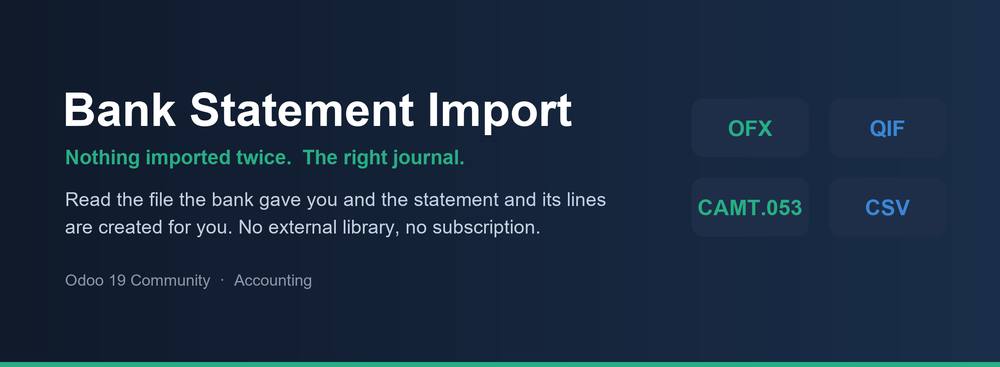
Odoo Community can create a bank statement but it cannot read one. This adds the file import: pick the file the bank gave you, and the statement and its lines are created for you.
Four formats
- ✓ OFX, in both the SGML flavour that most banks still export and the XML flavour of OFX 2. Parsed here, with no external library to install
- ✓ QIF, the line prefix format Quicken made and half the smaller banks copied
- ✓ CAMT.053, the ISO 20022 end of day statement, read without caring which version of the schema the bank used
- ✓ CSV, driven by a column mapping you set up once per bank
Nothing is imported twice
- ✓ Every line keeps the reference it was imported under, and that reference is checked against the journal before anything is written
- ✓ Files that overlap are the normal case, not the exception: a download of "the last 30 days" run weekly repeats three weeks every time
- ✓ Formats that carry no reference of their own, such as QIF and most CSV exports, get a fingerprint derived from the transaction itself, so the same file loaded twice still imports nothing the second time
- ✓ The wizard says how many lines were imported and how many were skipped, and the skipped ones are listed by name
The right journal, the right currency
- ✓ The account number in the file is matched against the bank account on the journal, including files that print only the last digits
- ✓ A file issued in a currency the journal does not keep is refused before anything is written, rather than producing a statement that cannot be reconciled
Partners
- ✓ Matched on the counterparty account number first, because a name on a bank line can be anything but an account number belongs to one person
- ✓ Then on the name, and only when exactly one partner has it
An audit trail
- ✓ Every import is recorded: the file, the journal, what was created, what was skipped and who ran it
- ✓ Searchable by the bank's reference, so "why is this payment not in Odoo" has an answer
- ✓ Printable as a PDF
The CSV mapping
- ✓ Separator, quote character, encoding, header row and lines to skip
- ✓ Columns matched by heading or by position
- ✓ Date format, decimal separator and thousands separator
- ✓ One signed amount column, or a debit column and a credit column
- ✓ Save one mapping per bank and attach it to the journals it belongs to
- ✓ Unrecognised files are reported in plain language. A PDF statement, a spreadsheet, a camt.052 intraday report: each gets told what it is and what to ask the bank for instead.
- ✓ Requires nothing but Odoo Accounting.
What you get
- →Full module source code: Python, OWL, XML and CSS
- →Installation on your Odoo instance, or a copy you install yourself
- →Written documentation and a user guide
- →A one-hour walkthrough with your team
- →90 days of bug-fix support
Buy it on the Odoo Apps Store
Bank Statement Import (OFX, QIF, CAMT.053, CSV) is published on apps.odoo.com at USD 79. Buy there and you get every update we publish for that version.
View on Odoo AppsRelated modules
Assets & Depreciation
Fixed asset register with automatic depreciation boards, posting to the ledger, revaluation, disposal and sale, for Odoo Community.
Accounting/AccountingBudgets and Commitment Control
Budgets by analytic account and account group, with committed spend from confirmed purchase orders and an optional block on orders that would go over budget.
Accounting/AccountingDynamic Financial Reports
Dynamic Balance Sheet, Profit & Loss, Trial Balance, General Ledger, Partner Ledger, Aged Receivable / Payable, Cash Flow and Tax Report with comparison, PDF and Excel.
Accounting/AccountingLate Payment Reminder - Auto Follow-Up for Community
Automatic late-payment reminder emails for overdue invoices in Odoo Community. Configurable rules + email templates + daily cron. The free alternative to Enterprise account_followup.
Accounting/AccountingWT Accounting Analytics Dashboard
Enterprise Accounting Analytics Dashboard - KPIs, P&L, AR/AP Aging, Invoices & Comparison for Odoo 19
AccountingFBR Digital Invoicing Pakistan | FBR E-Invoicing Integration | Sales Tax Invoice, QR Code & IRN | Odoo 19 Community
Send sales tax invoices to the FBR Digital Invoicing system in real time, get the FBR invoice number and QR code back, and print them on the invoice. Sandbox and production.
Accounting/LocalizationsNeed it to work a little differently?
Every module here started as a client request. Tell us what is missing and we will quote the change, or build the thing you actually need.