

Budgets and Commitment Control
Budgets by analytic account and account group, with committed spend from confirmed purchase orders and an optional block on orders that would go over budget.
- Category
- Accounting/Accounting
- Odoo version
- Odoo 19.0
- Price
- USD 99
- Odoo Apps Store
- Listed
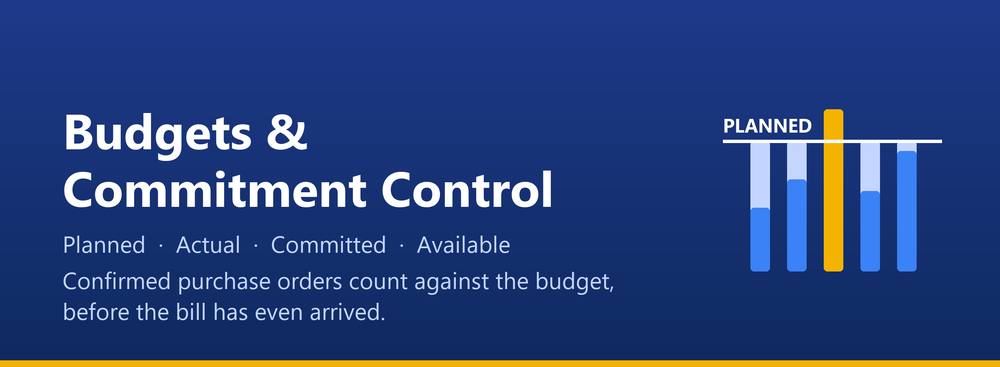
A budget that counts money already promised, not only money already spent. Once a purchase order is confirmed the money is gone, even though no bill has arrived yet. A budget built on posted entries alone cannot see that, which is why budgets look healthy right up to the week the invoices land.
What a budget line watches
- ✓ An analytic account, an account group, or both together
- ✓ Planned amount, for the period the budget covers
- ✓ Actual, from posted journal items in that period
- ✓ Committed, from confirmed purchase orders that have not been billed yet
- ✓ Available, which is planned less actual less committed
- ✓ Achievement and consumption, as percentages
Commitment control
- ✓ Committed spend is read from confirmed purchase orders, taking only the part that has not been invoiced, so nothing is counted twice
- ✓ Analytic distributions are honoured, so a line split 60/40 across two analytic accounts adds 60 percent to one budget and 40 percent to the other
- ✓ Purchase order currencies are converted to the company currency
- ✓ The purchase module is optional. Without it the module still installs and runs, and committed simply reads zero
The hard block
- ✓ Turn on Block Over Budget on a budget and any purchase order that would push one of its lines past the planned amount is refused at confirmation
- ✓ The message names the budget line, the planned figure, what is already spent and committed, what the order adds and the resulting overspend
- ✓ A tolerance percentage lets small overruns through when that is the policy
- ✓ Only confirmed budgets block, so a draft budget never gets in anyone's way
Reporting
- ✓ Budget lines grouped by analytic account, with planned, actual, committed and available side by side
- ✓ Pivot and graph views over the same figures
- ✓ A printable PDF for one budget or for a selection of budgets
- ✓ The available column is coloured once a line passes its warning threshold, and turns red when it goes negative
- ✓ Figures are stored, so they can be grouped and pivoted. A daily scheduled action refreshes them, and a Refresh button on the budget does the same on demand. Requires nothing but Odoo Accounting.
What you get
- →Full module source code: Python, OWL, XML and CSS
- →Installation on your Odoo instance, or a copy you install yourself
- →Written documentation and a user guide
- →A one-hour walkthrough with your team
- →90 days of bug-fix support
Buy it on the Odoo Apps Store
Budgets and Commitment Control is published on apps.odoo.com at USD 99. Buy there and you get every update we publish for that version.
View on Odoo AppsRelated modules
Assets & Depreciation
Fixed asset register with automatic depreciation boards, posting to the ledger, revaluation, disposal and sale, for Odoo Community.
Accounting/AccountingBank Statement Import (OFX, QIF, CAMT.053, CSV)
Import bank statements from OFX, QIF, CAMT.053 and CSV files, with duplicate protection, journal matching and partner matching, for Odoo Community.
Accounting/AccountingDynamic Financial Reports
Dynamic Balance Sheet, Profit & Loss, Trial Balance, General Ledger, Partner Ledger, Aged Receivable / Payable, Cash Flow and Tax Report with comparison, PDF and Excel.
Accounting/AccountingLate Payment Reminder - Auto Follow-Up for Community
Automatic late-payment reminder emails for overdue invoices in Odoo Community. Configurable rules + email templates + daily cron. The free alternative to Enterprise account_followup.
Accounting/AccountingWT Accounting Analytics Dashboard
Enterprise Accounting Analytics Dashboard - KPIs, P&L, AR/AP Aging, Invoices & Comparison for Odoo 19
AccountingFBR Digital Invoicing Pakistan | FBR E-Invoicing Integration | Sales Tax Invoice, QR Code & IRN | Odoo 19 Community
Send sales tax invoices to the FBR Digital Invoicing system in real time, get the FBR invoice number and QR code back, and print them on the invoice. Sandbox and production.
Accounting/LocalizationsNeed it to work a little differently?
Every module here started as a client request. Tell us what is missing and we will quote the change, or build the thing you actually need.