
Grid View for Timesheets and Resource Planning
Spreadsheet style grid for any model: rows are records, columns are days, weeks or months, cells are editable totals written straight back to the database.
- Category
- Productivity
- Odoo version
- Odoo 19.0
- Price
- USD 69
- Odoo Apps Store
- Listed
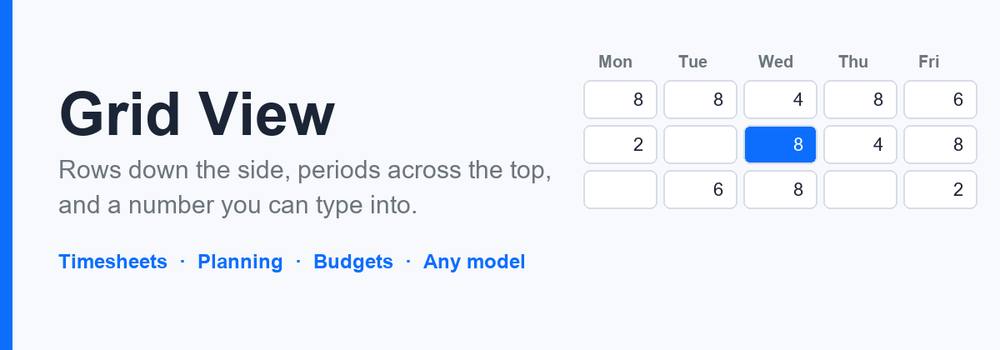
The one view Odoo Community does not have. Rows down the side, periods across the top, a number in every cell, and you type into it. Hours against a project, units against a warehouse, budget against a cost centre: the shape is always the same and the spreadsheet always wins because Odoo has nowhere to put it.
How a grid is set up
- ✓ Name a model, the date field that decides which column a record falls in, and the number that fills a cell. A datetime works as well as a date, and its column is the day it is in the reader's own timezone
- ✓ Add the fields the rows are grouped by, in the order they should read, for example employee then project
- ✓ Choose daily, weekly or monthly columns and how many of them to show
- ✓ Add a filter if only part of the model belongs on the sheet
- ✓ Nothing else. No view to write, no field to add.
The cell is a total
- ✓ A cell adds up every record behind it, so editing one is a difference, not a value. That difference has to land somewhere sensible, and this is where grids usually go wrong:
- ✓ An empty cell creates the record it needs, carrying the row values, the date and whatever else you set as defaults
- ✓ A cell with one record behind it hands that record the difference, so it ends on the figure you typed
- ✓ A cell with several records either gives the difference to the newest of them or adds a balancing record and leaves history alone, per grid
- ✓ Typing zero clears every record behind the cell rather than pushing one of them negative to make the arithmetic work
- ✓ Negative values can be allowed or refused, on the cell and on the record
- ✓ All of it happens on the server, inside the ordinary create and write, so record rules, required fields, constraints and the chatter all apply. There is no back door.
Closing a period
- ✓ A lock closes every column up to a date. Locked cells are drawn greyed with a padlock, and a write to one is refused on the server rather than merely hidden in the browser. A rolling lock keeps the last few days open and closes everything older by itself, on a daily scheduled action.
Copy a period
- ✓ Next week looks like this week. The copy wizard reads one column and writes it into another, either replacing what is there or adding to it, cell by cell through the same write back, so a closed period still refuses it.
Timesheets out of the box
- ✓ Install this next to the timesheet app and a timesheet grid is configured for you: employee and project down the side, days across the top, hours in the cell. Install it on its own and it still works, on its own planning entries, with categories and a printable sheet.
What is included
- ✓ Grids, row fields, period locks, planning entries and categories
- ✓ An editable grid as a client action, with day, week and month columns
- ✓ A printable grid sheet showing the same figures as the screen
- ✓ A wizard to copy one period onto another
- ✓ A scheduled action for rolling locks
- ✓ Two user groups and company record rules on every model
- ✓ Requires nothing but Odoo itself.
What you get
- →Full module source code: Python, OWL, XML and CSS
- →Installation on your Odoo instance, or a copy you install yourself
- →Written documentation and a user guide
- →A one-hour walkthrough with your team
- →90 days of bug-fix support
Buy it on the Odoo Apps Store
Grid View for Timesheets and Resource Planning is published on apps.odoo.com at USD 69. Buy there and you get every update we publish for that version.
View on Odoo AppsRelated modules
AI Assistant for Odoo
Claude inside Odoo - summarise records, draft replies, write product descriptions and qualify leads, with reusable prompts and full token logging.
ProductivityAudit Log & Access Tracking
Track who created, changed or deleted records - full audit trail with field-level history and access-rights tracking.
ProductivityDashboard Builder - Drag & Drop KPI Dashboards
Build live KPI dashboards on any Odoo model - numbers, bar charts, ranked lists & progress, with drag-and-drop tiles.
ProductivityImport / Export Power Tools
Powerful data import & export for any model - CSV / XLSX / JSON, upsert, scheduled exports, templates and error logs.
ProductivityMap View for Odoo 19 Community
Put any model on a map, geocode addresses once and cache them, and plan a visiting route with distances, for Odoo Community.
ProductivityPWA Mobile App + Real-Time Push Notifications
Install Odoo as a mobile app (PWA) and send real-time web push notifications to phones & desktops - branded app icon, one-click setup, reusable push API. No Enterprise, no app store.
ProductivityNeed it to work a little differently?
Every module here started as a client request. Tell us what is missing and we will quote the change, or build the thing you actually need.