

Import / Export Power Tools
Powerful data import & export for any model - CSV / XLSX / JSON, upsert, scheduled exports, templates and error logs.
- Category
- Productivity
- Odoo version
- Odoo 19.0
- Price
- USD 10
- Odoo Apps Store
- Listed
A faster, smarter data import & export engine for any Odoo model.
Screenshots
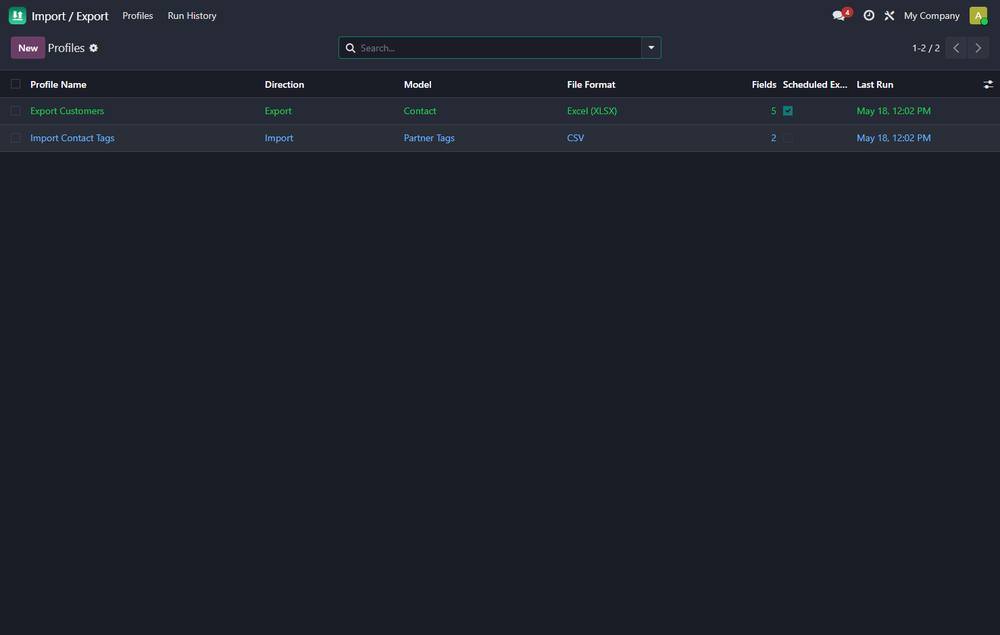
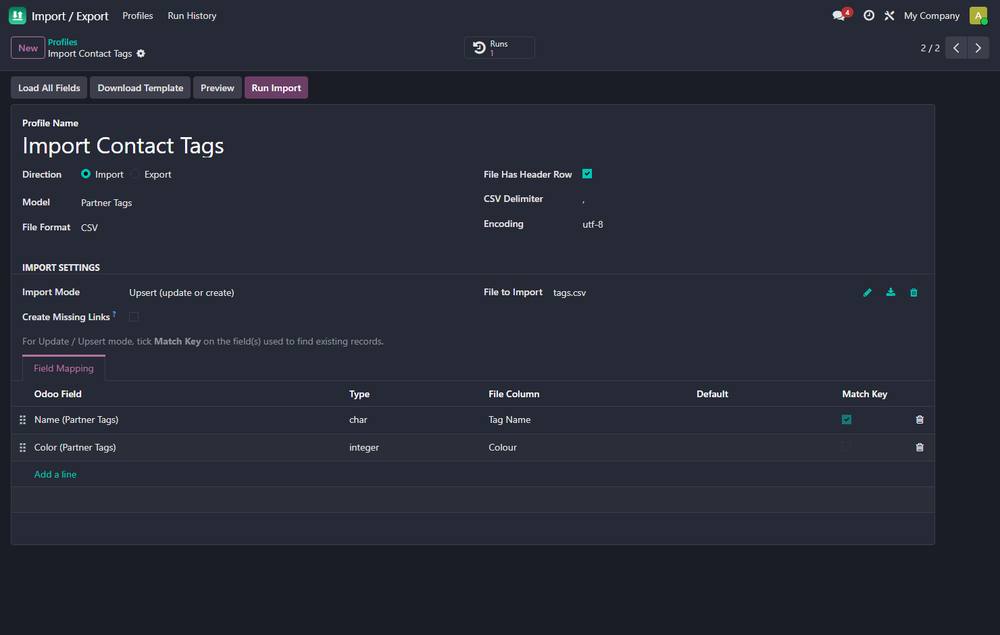
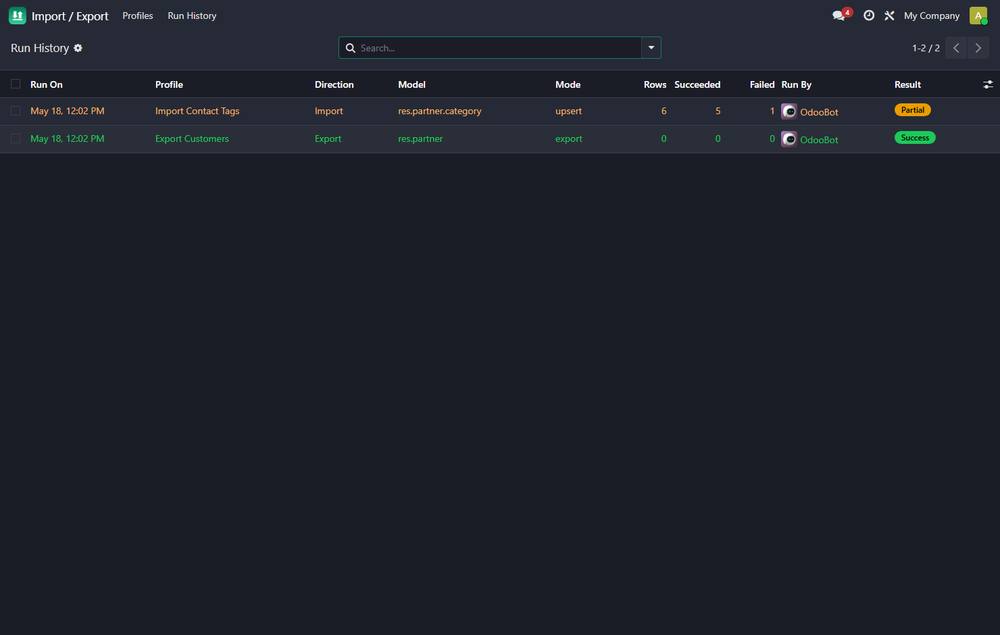
Import / Export Power Tools running in Odoo 19.0.
What it does
- ✓ Reusable import / export profiles - save the model, mapping and filters
- ✓ Three formats - CSV, Excel (XLSX) and JSON
- ✓ Import modes - Create, Update and Upsert (match existing records by ANY field, not just the external ID)
- ✓ Find-or-create related records on import
- ✓ Per-row error isolation - one bad row never aborts the run
- ✓ Import history with a downloadable error report
- ✓ Dry-run preview - validate a file before committing anything
- ✓ One-click blank template generator for any model
- ✓ Scheduled exports, delivered automatically by e-mail
- ✓ Works with every Odoo app and your own custom models
What you get
- →Full module source code: Python, OWL, XML and CSS
- →Installation on your Odoo instance, or a copy you install yourself
- →Written documentation and a user guide
- →A one-hour walkthrough with your team
- →90 days of bug-fix support
Buy it on the Odoo Apps Store
Import / Export Power Tools is published on apps.odoo.com at USD 10. Buy there and you get every update we publish for that version.
View on Odoo AppsRelated modules
AI Assistant for Odoo
Claude inside Odoo - summarise records, draft replies, write product descriptions and qualify leads, with reusable prompts and full token logging.
ProductivityAudit Log & Access Tracking
Track who created, changed or deleted records - full audit trail with field-level history and access-rights tracking.
ProductivityDashboard Builder - Drag & Drop KPI Dashboards
Build live KPI dashboards on any Odoo model - numbers, bar charts, ranked lists & progress, with drag-and-drop tiles.
ProductivityGrid View for Timesheets and Resource Planning
Spreadsheet style grid for any model: rows are records, columns are days, weeks or months, cells are editable totals written straight back to the database.
ProductivityMap View for Odoo 19 Community
Put any model on a map, geocode addresses once and cache them, and plan a visiting route with distances, for Odoo Community.
ProductivityPWA Mobile App + Real-Time Push Notifications
Install Odoo as a mobile app (PWA) and send real-time web push notifications to phones & desktops - branded app icon, one-click setup, reusable push API. No Enterprise, no app store.
ProductivityNeed it to work a little differently?
Every module here started as a client request. Tell us what is missing and we will quote the change, or build the thing you actually need.