
WT Attendance Bridge
Pull punches from ZKTeco and Hikvision devices on your office LAN into Odoo Attendances.
Free download, 16.9 MB, released 9 October 2026.
Who it is for
For companies whose fingerprint or face terminals sit on the office network and cannot push to Odoo themselves: pull-only ZKTeco models, devices with no internet access, or an Odoo in the cloud that has no way to reach the office LAN.
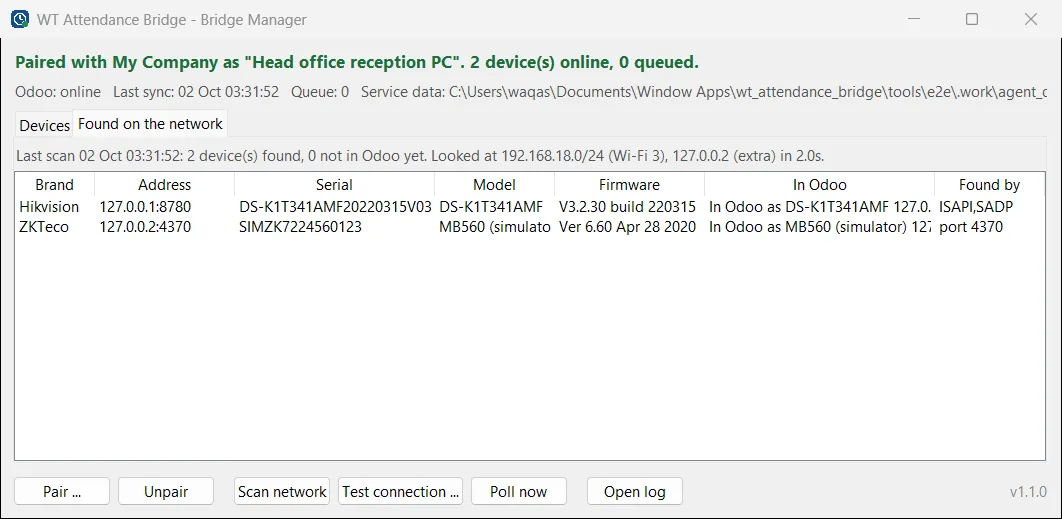
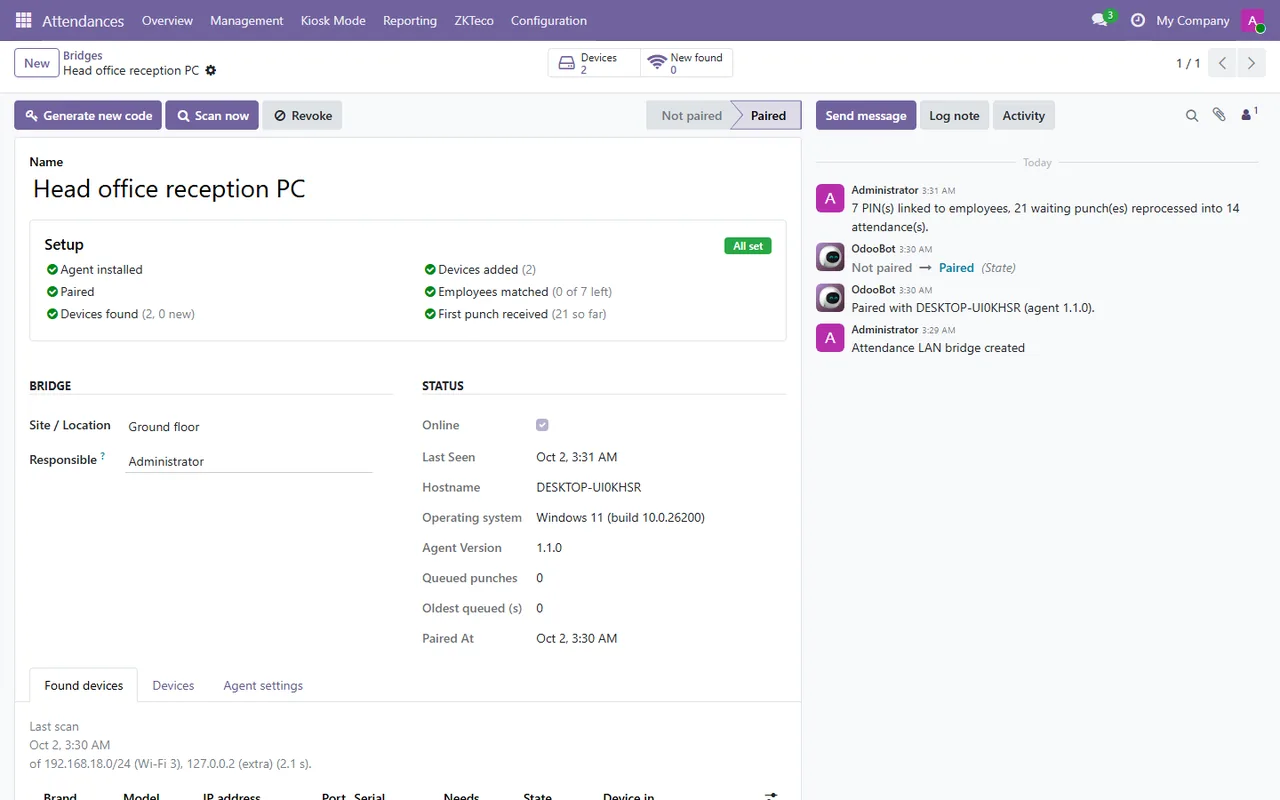
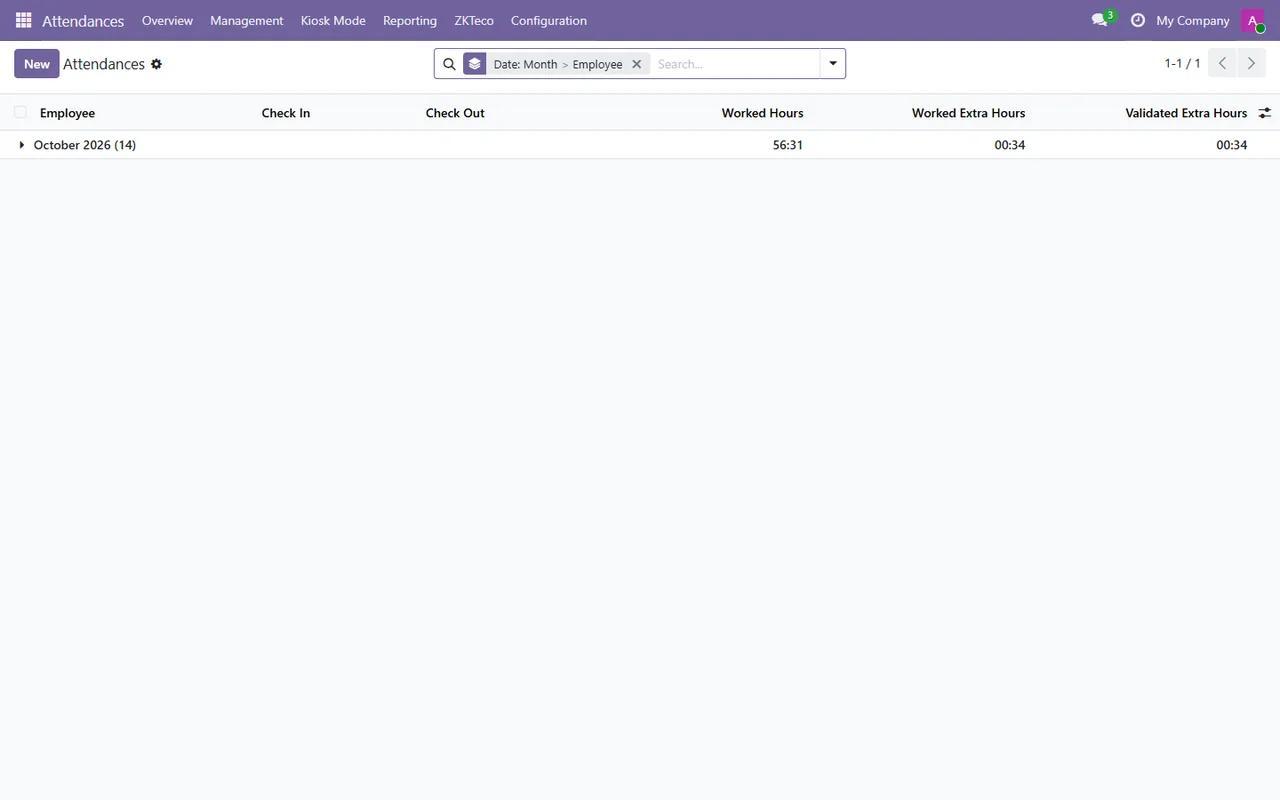
The bridge runs as a Windows service on one office PC. It finds the devices on the network, reads users and punches, and posts them to Odoo, where they go through the same attendance pipeline as ADMS devices. It only ever reads: it never clears logs, sets the clock, changes users or opens doors.
What it does
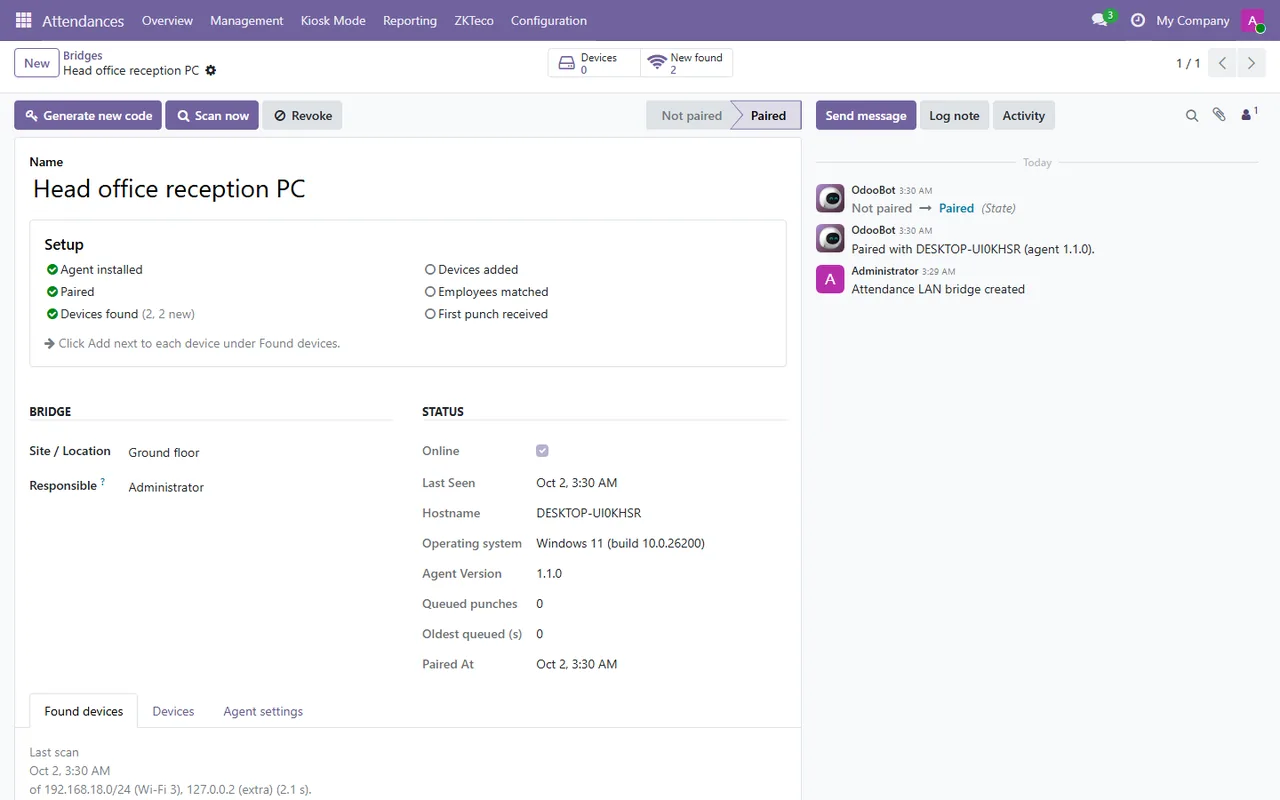
- ✓ Finds ZKTeco and Hikvision devices on its own subnet and lists them in Odoo with an Add button.
- ✓ Follows a device by serial number when DHCP gives it a new address, so punches never land on the wrong record.
- ✓ Hikvision face, card and fingerprint terminals over ISAPI, ZKTeco over the standard ZK protocol.
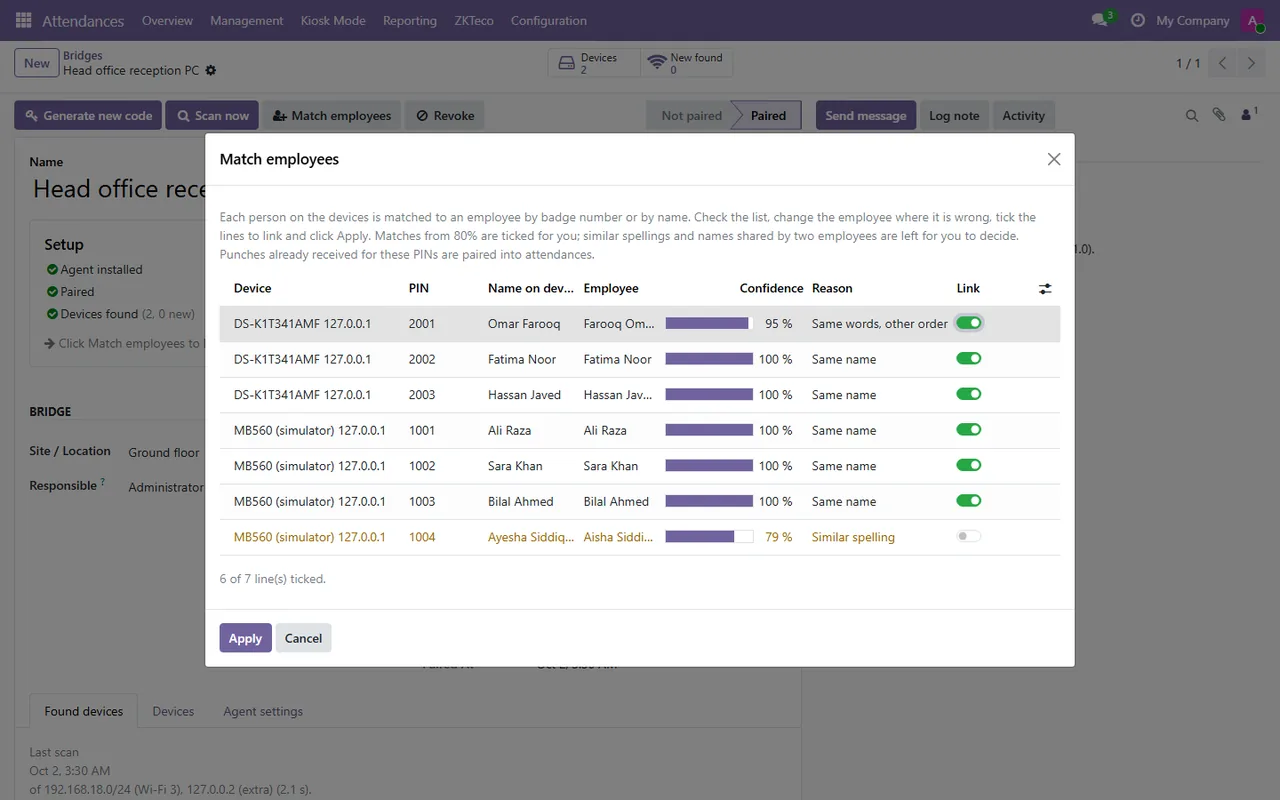
- ✓ Matches device users to employees by badge number or name in one review screen.
- ✓ All settings live in Odoo: which devices, poll interval, employee mapping. The PC only needs pairing.
- ✓ Runs with nobody logged in, restarts itself after a crash, and queues punches while Odoo is unreachable.
Screenshots
System requirements
- →Windows 10 or 11, 64-bit, or Windows Server 2016 or later, switched on during working hours
- →Local administrator rights to install (it installs a Windows service)
- →Network access to the devices: TCP/UDP 4370 for ZKTeco, TCP 80 or 443 for Hikvision
- →Outbound HTTPS to your Odoo; no inbound ports
- →Odoo 19 with the WT Attendance Bridge module
Download WT Attendance Bridge 1.1.0
The installer is free. The app works together with the Odoo module, which you install from the Odoo Apps Store.
Download WT-Attendance-Bridge-Setup-1.1.0.exe- File
- WT-Attendance-Bridge-Setup-1.1.0.exe
- Size
- 16.9 MB (17,680,252 bytes)
- SHA-256
- ba609bfbca436e9863b728842e31d438f34aff6c3a1ce65f7373a79abc53bb4c
Windows may show a SmartScreen notice until our code-signing certificate is active: click More info, then Run anyway.
You can check the file first: in PowerShell, Get-FileHash WT-Attendance-Bridge-Setup-1.1.0.exe should print the SHA-256 above.
Once installed, the app checks for updates by itself and installs only releases signed by Way4Tech.
Questions before you install?
Tell us about your setup and we will tell you whether WT Attendance Bridge fits, and help with the first install.