
WT Queue
Touch kiosk, TV display with voice calls and counter screen, linked to Odoo, working through internet outages.
Free download, 49.5 MB, released 9 October 2026.
Who it is for
For clinics, banks, exchange houses, government offices and service centres that want an orderly waiting room without buying a dedicated queue system with its own server.
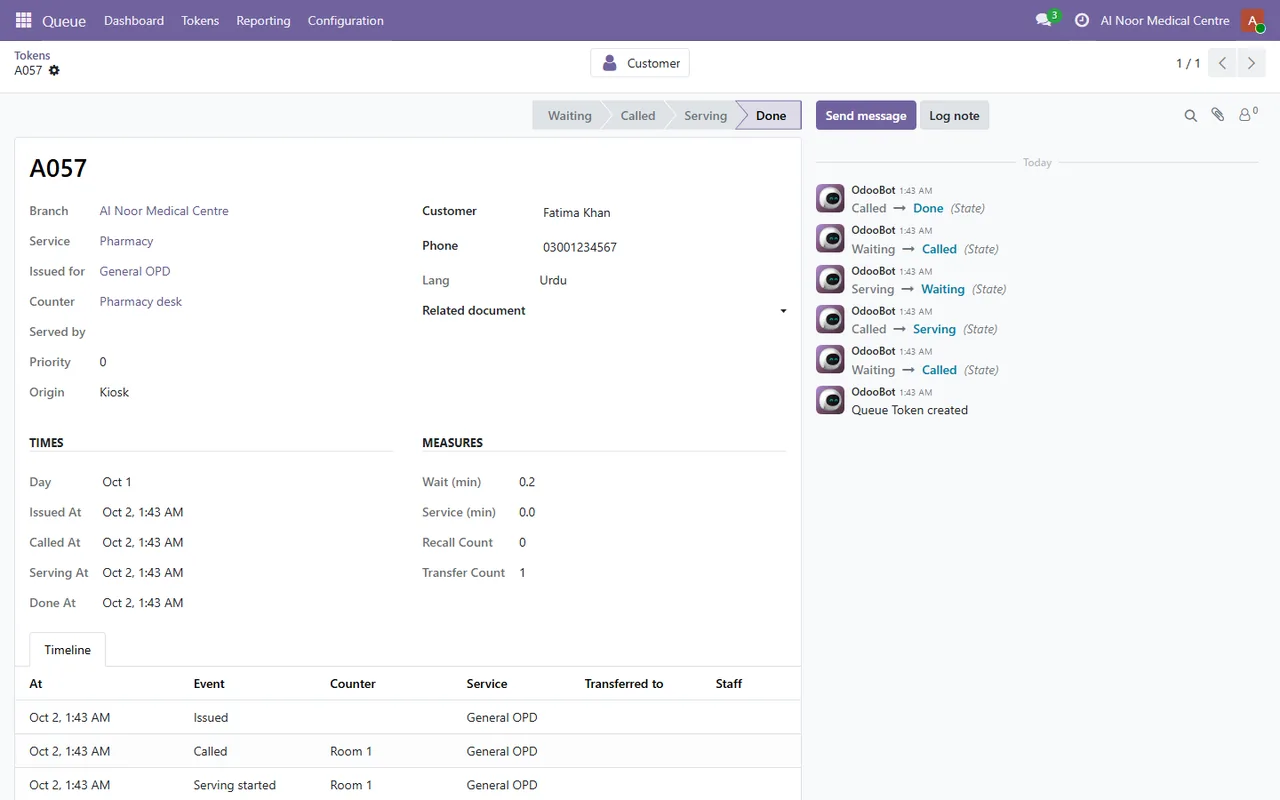
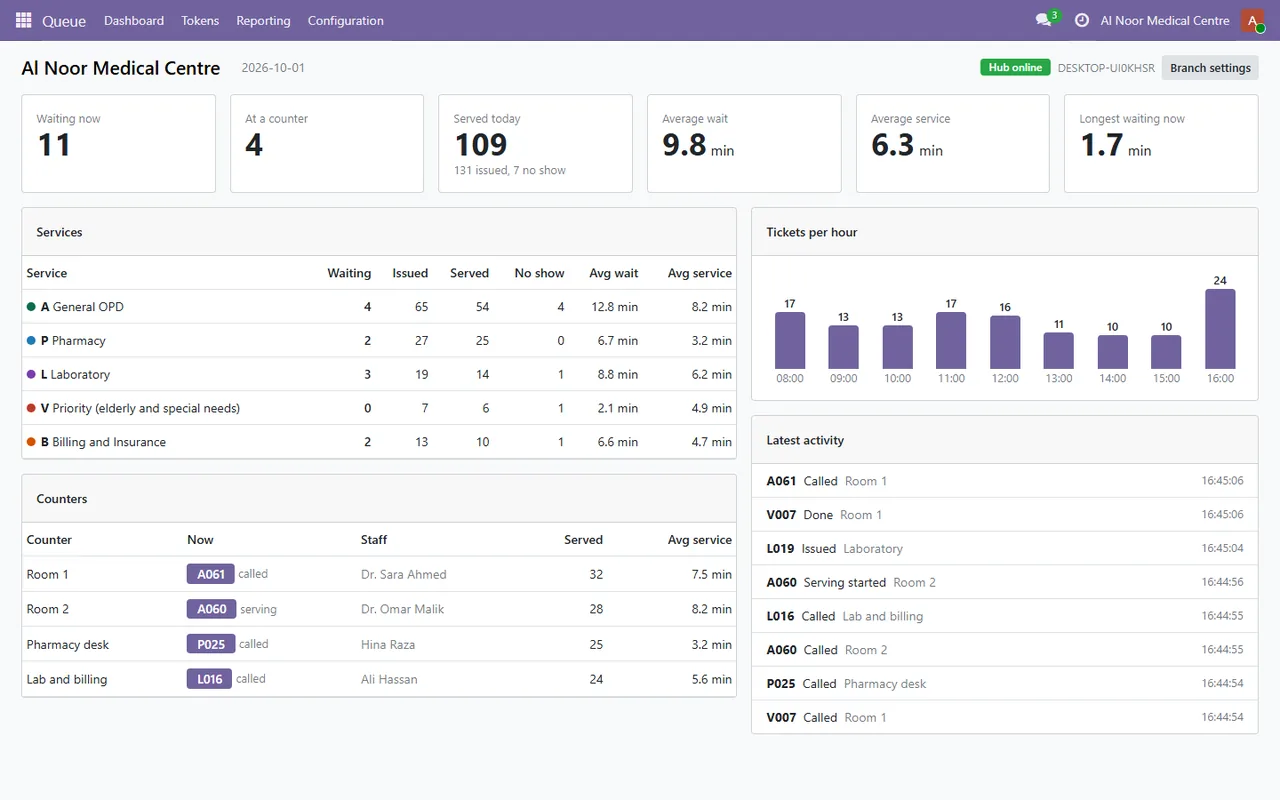
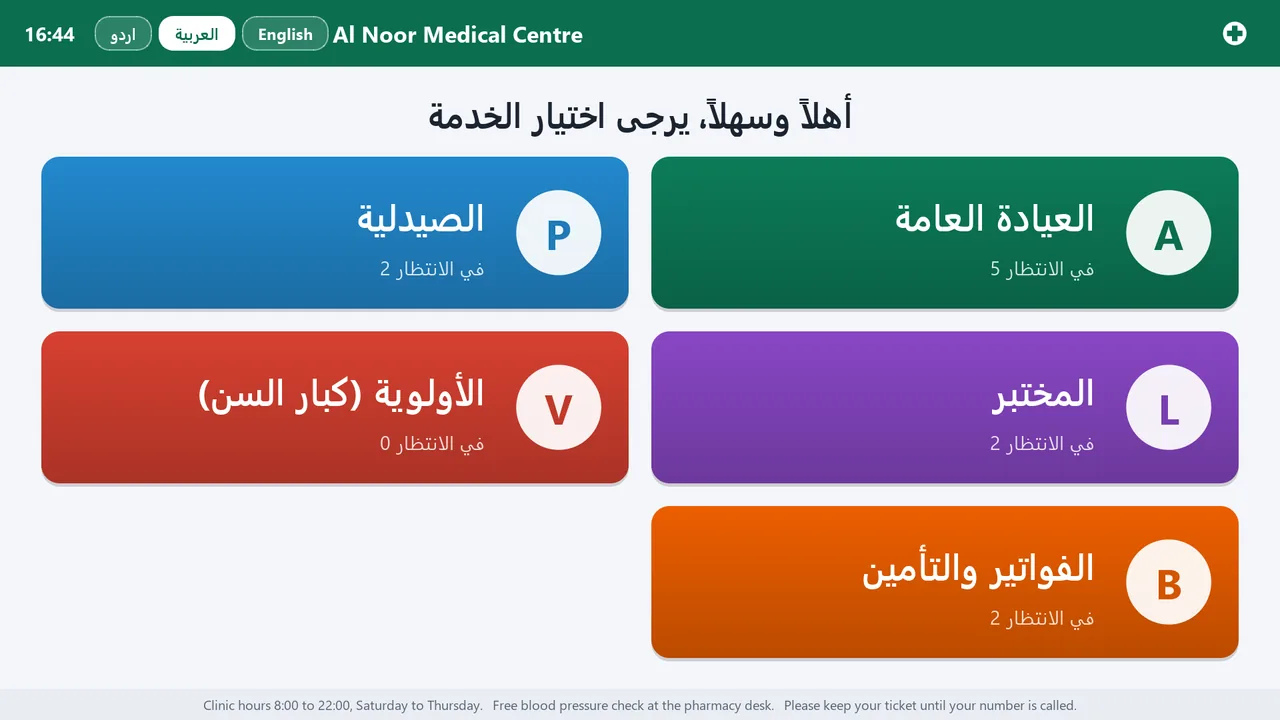
One installer turns ordinary Windows PCs, a thermal printer and a TV into a kiosk, a display and counter screens. Services and counters are set up in Odoo, customers who type their mobile number are matched to their Odoo contact, and every ticket reaches Odoo with its full timeline for the dashboard and reports.
What it does
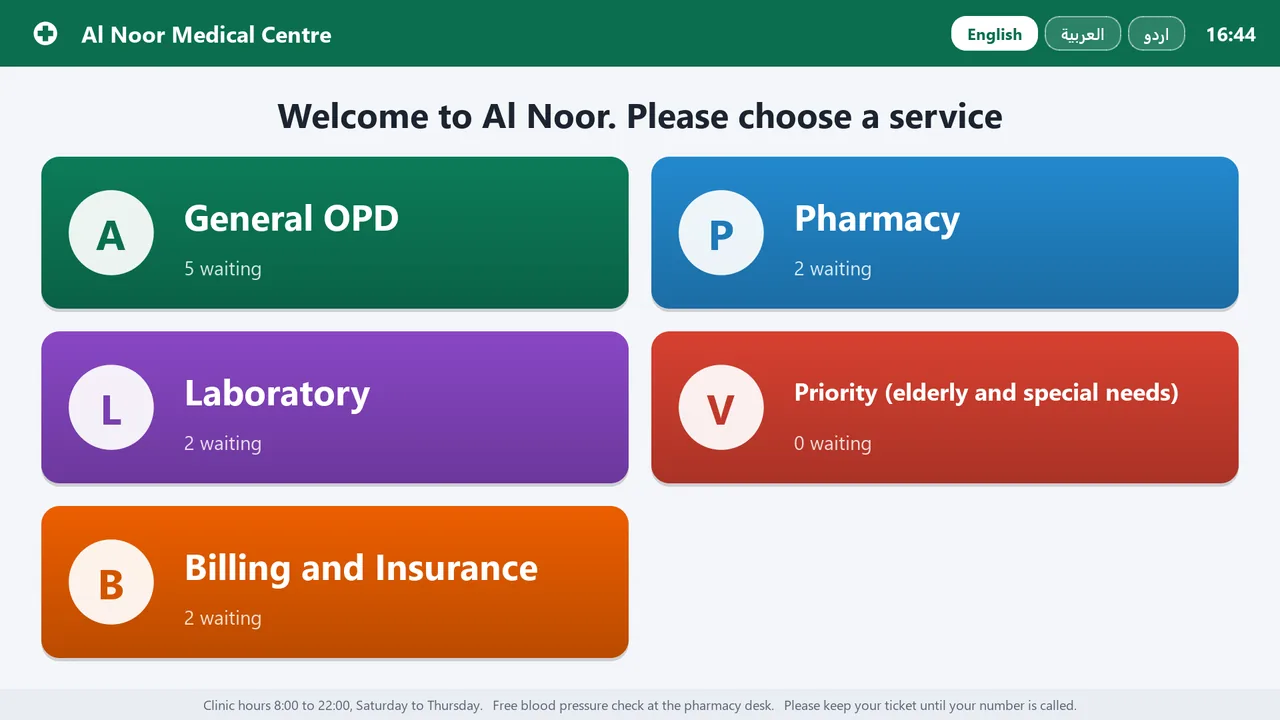
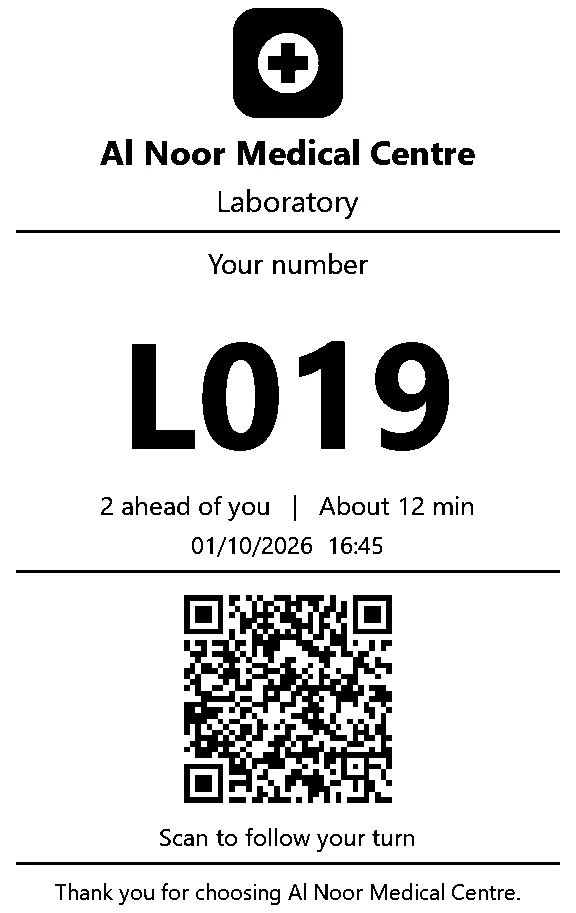
- ✓ Touch kiosk in English, Arabic or Urdu, printing a ticket with a QR code to follow the turn on a phone.
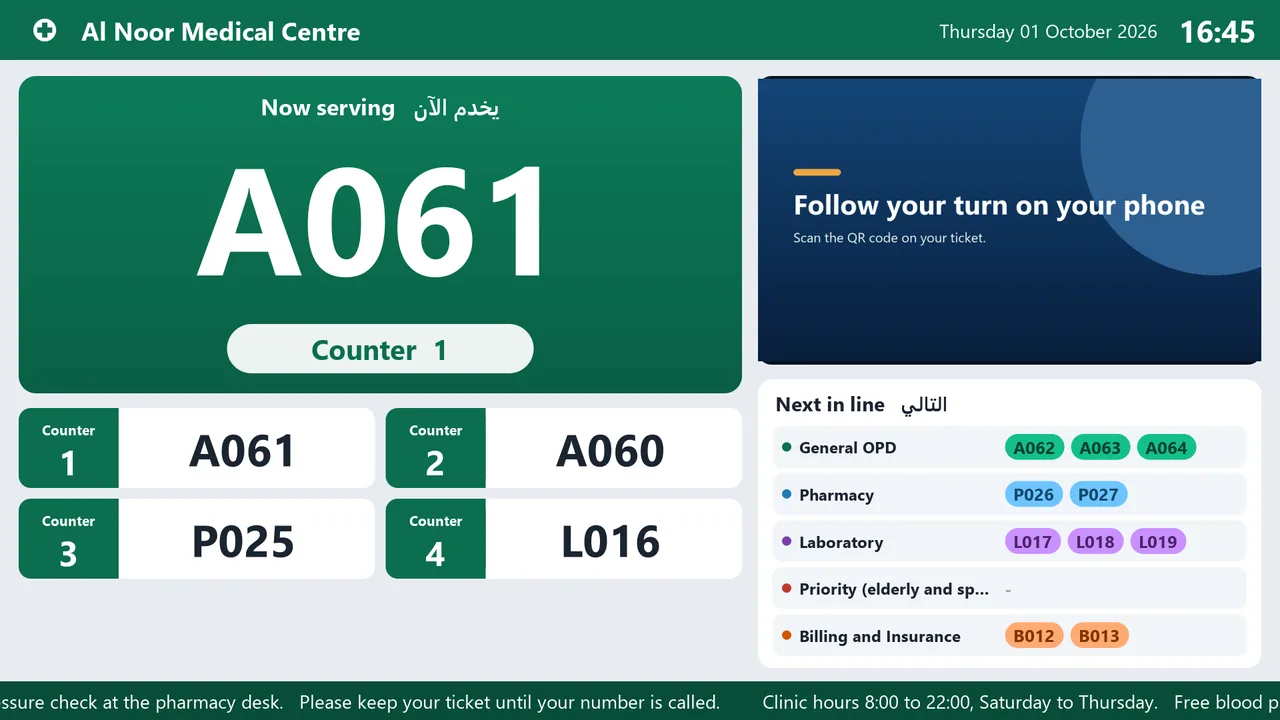
- ✓ TV display with the number being called, every counter, next in line, a media loop and a spoken call with a chime.
- ✓ Counter bar for staff: call next, recall, start, done, no show and transfer, with keyboard shortcuts.
- ✓ Keeps working when the internet drops; tickets reach Odoo when the connection is back.
- ✓ Live dashboard, waiting and service times, and visit history on each contact in Odoo.
- ✓ Tickets print as a picture, so Arabic and Urdu come out right on any ESC/POS printer.
Screenshots
System requirements
- →Windows 10 or 11, 64-bit on each PC (one PC can drive several screens)
- →Local administrator rights to install (it opens the firewall for the branch network)
- →All PCs of a branch on the same local network
- →An ESC/POS thermal printer, 58 or 80 mm, USB or network (a virtual printer is the default)
- →Odoo 19 (Community or Enterprise) with the WT Queue & Token System module
Download WT Queue 1.0.0
The installer is free. The app works together with the Odoo module, which you install from the Odoo Apps Store.
Download WT-Queue-Setup-1.0.0.exe- File
- WT-Queue-Setup-1.0.0.exe
- Size
- 49.5 MB (51,899,834 bytes)
- SHA-256
- ee1310788c932ba0c9cb1bb1946df1ccaab116b345b6b31dcbc7bd7461e374ab
Windows may show a SmartScreen notice until our code-signing certificate is active: click More info, then Run anyway.
You can check the file first: in PowerShell, Get-FileHash WT-Queue-Setup-1.0.0.exe should print the SHA-256 above.
Once installed, the app checks for updates by itself and installs only releases signed by Way4Tech.
Questions before you install?
Tell us about your setup and we will tell you whether WT Queue fits, and help with the first install.