
WT Tally Connector
Posted Odoo invoices, bills and payments become Tally vouchers, and the Tally number comes back.
Free download, 16.4 MB, released 9 October 2026.
Who it is for
For businesses that run sales, purchasing or operations in Odoo but whose accountant still closes the books in Tally, and who are tired of keying every invoice twice.
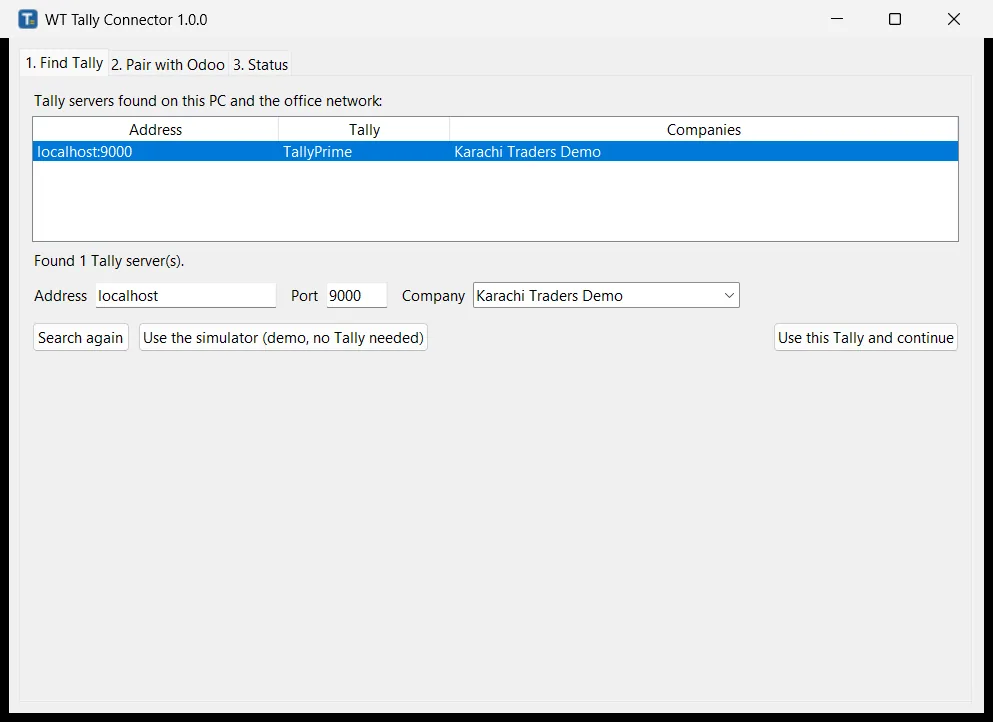
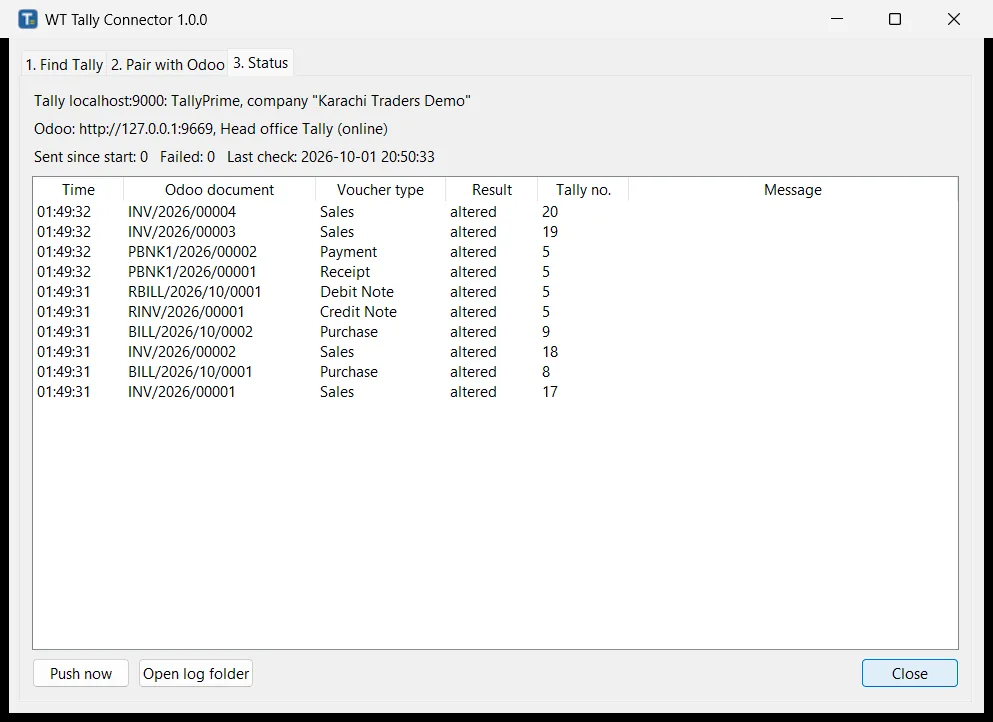
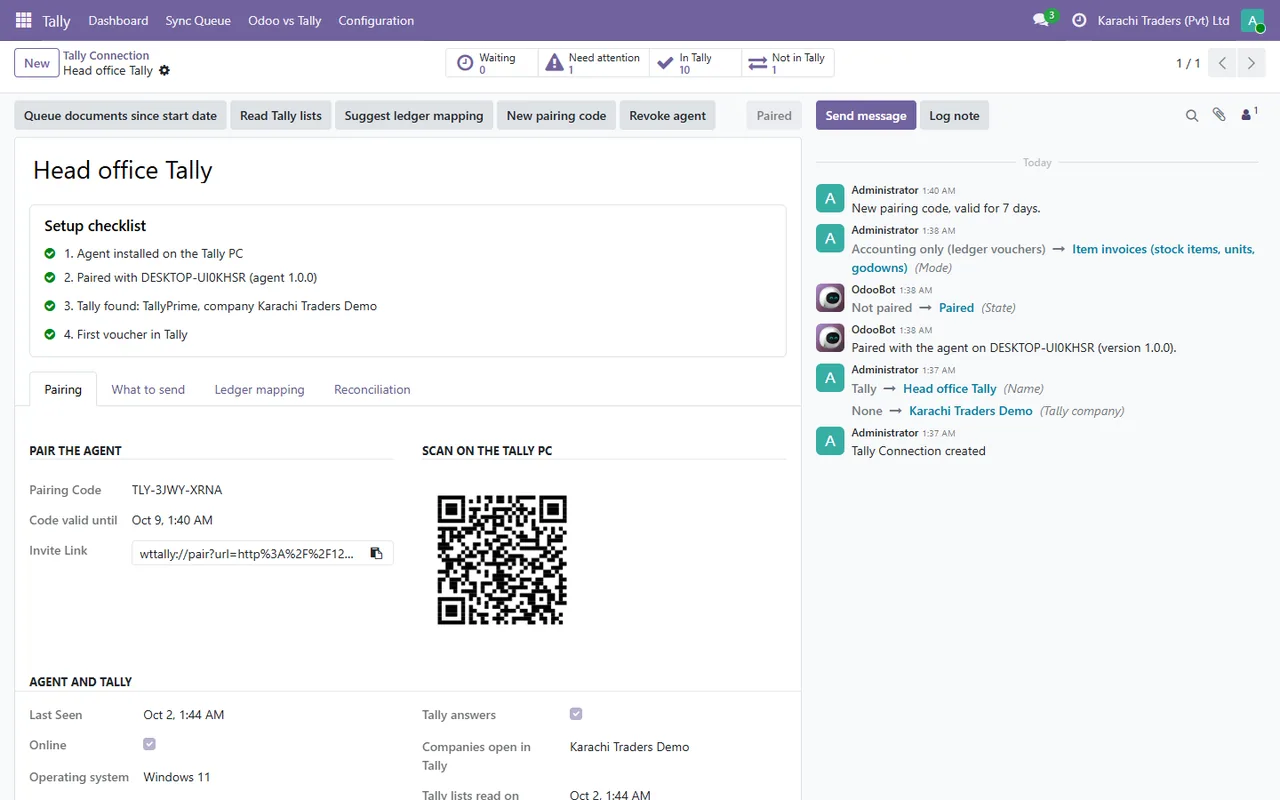
The agent runs on the Tally PC and talks to Tally through its XML server. Posted documents in Odoo reach Tally within about 30 seconds as vouchers, and the Tally voucher number is written back onto the Odoo document. Edits and cancellations follow.
What it does
- ✓ Customer invoices, credit notes, vendor bills, debit notes, payments and, optionally, journal entries.
- ✓ Accounting or item invoice mode, your own voucher type names, and the company you choose.
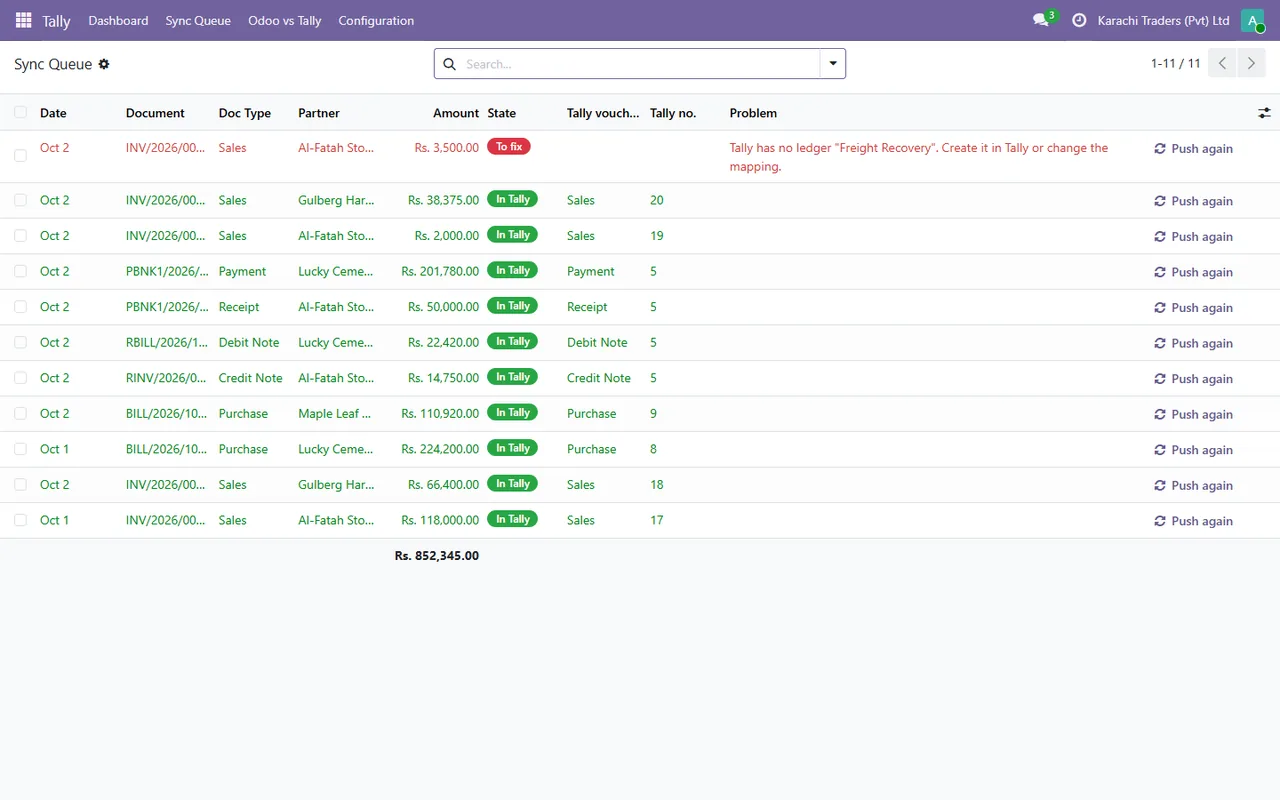
- ✓ Ledger mapping with suggestions, and a check that every ledger name really exists in Tally.
- ✓ A sync queue in Odoo that says in plain words what to fix, with Push again.
- ✓ Editing and reposting updates the same voucher; cancelling removes it.
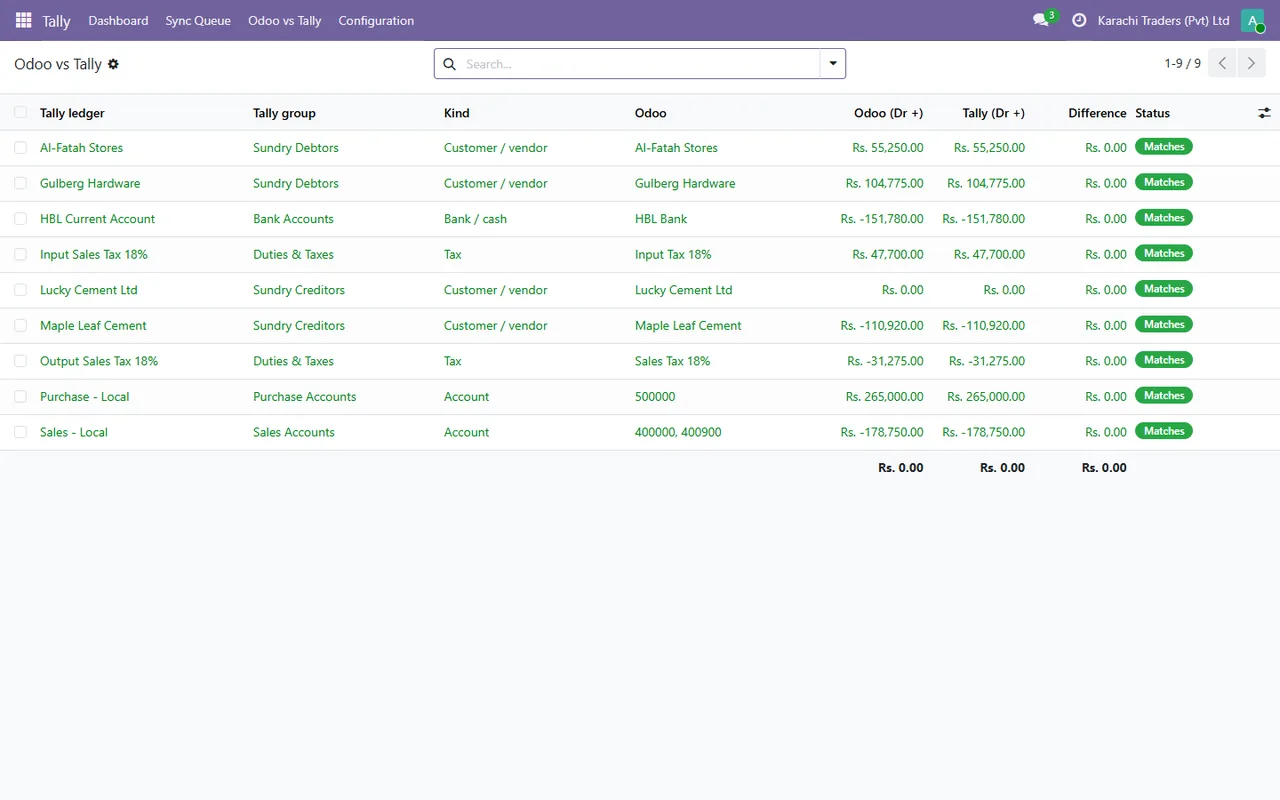
- ✓ An Odoo against Tally comparison, and a built-in Tally simulator for a demo.
Screenshots
System requirements
- →Windows 10 or 11, 64-bit, normally the Tally PC
- →No administrator rights needed (installs per user)
- →TallyPrime or Tally.ERP 9 with the company loaded and the XML server on (port 9000)
- →Odoo 19 with Invoicing or Accounting and the Odoo to Tally Live Connector module
Download WT Tally Connector 1.0.0
The installer is free. The app works together with the Odoo module, which you install from the Odoo Apps Store.
Download WT-Tally-Connector-Setup-1.0.0.exe- File
- WT-Tally-Connector-Setup-1.0.0.exe
- Size
- 16.4 MB (17,212,965 bytes)
- SHA-256
- 39a472e74b579fb2ff262a6a1cbf9a6c4e8f07096426c88c30a95b58c41ab1b9
Windows may show a SmartScreen notice until our code-signing certificate is active: click More info, then Run anyway.
You can check the file first: in PowerShell, Get-FileHash WT-Tally-Connector-Setup-1.0.0.exe should print the SHA-256 above.
Once installed, the app checks for updates by itself and installs only releases signed by Way4Tech.
Questions before you install?
Tell us about your setup and we will tell you whether WT Tally Connector fits, and help with the first install.