
WT Caller ID
See the Odoo contact before you pick up, and log every call, including the missed ones.
Free download, 16.6 MB, released 9 October 2026.
Who it is for
For sales teams, clinics, service desks and front offices that answer the phone all day and want to know who is calling, and to stop losing missed calls on a sticky note.
The agent listens to your phone system and pops up a card with the Odoo contact when the phone rings. The Odoo module logs every call against the contact, matches numbers in any format, and gives missed calls an owner and a follow-up.
What it does
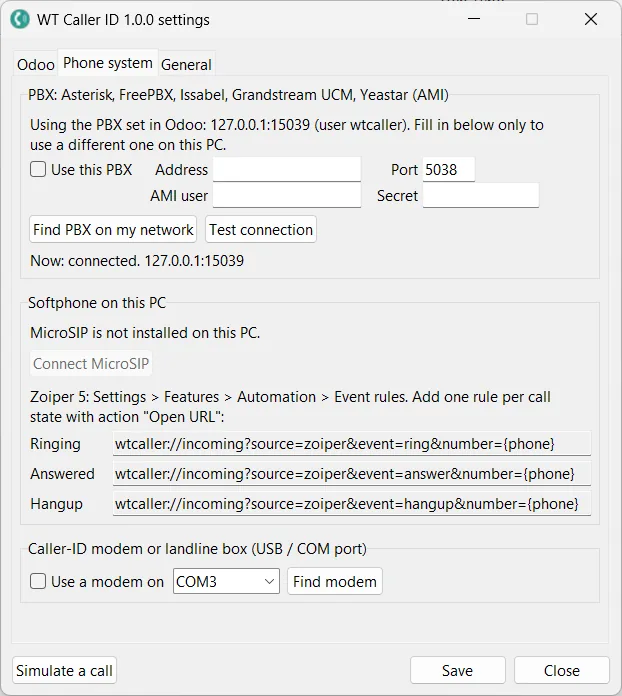
- ✓ Works with Asterisk, FreePBX and Issabel over AMI, with MicroSIP and Zoiper softphones, and with a USB caller ID modem on a landline.
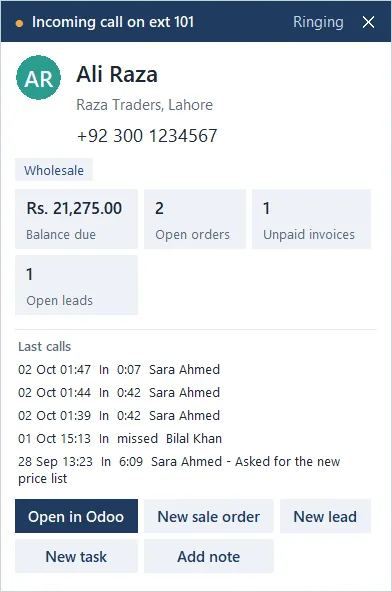
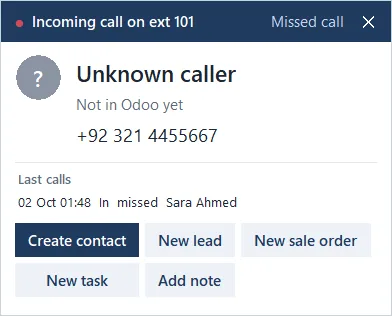
- ✓ Caller card with the contact, company, open items and a VIP flag, or a quick way to create the contact.
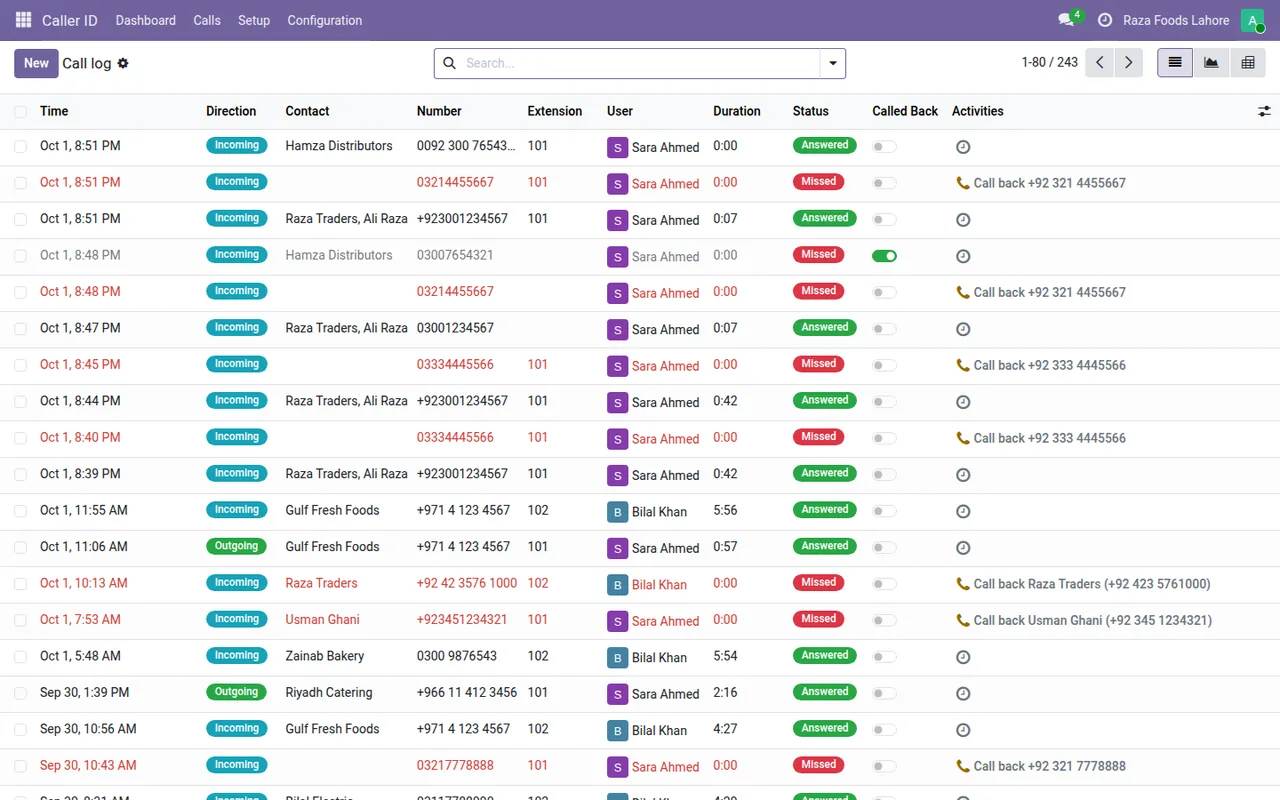
- ✓ Every call logged in Odoo with direction, extension, user and talk time.
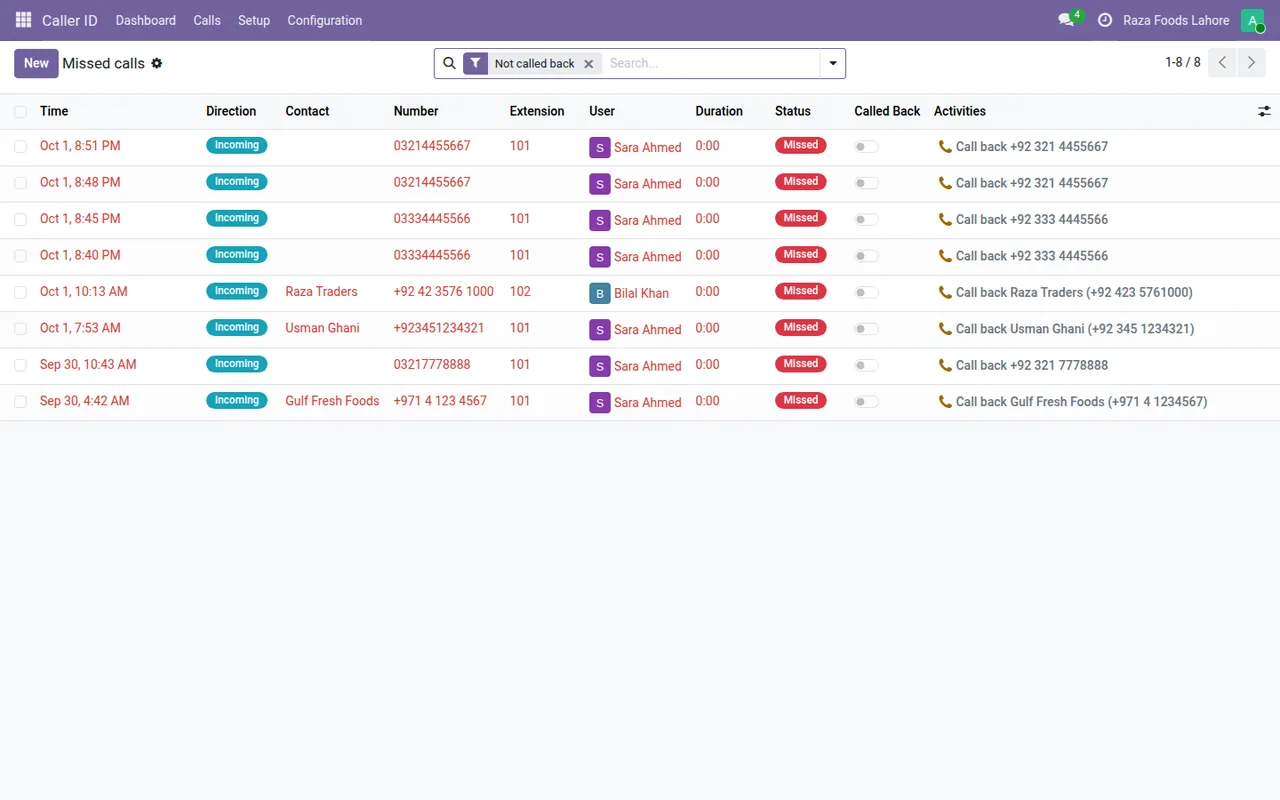
- ✓ Missed calls list with follow-up, so nobody forgets to call back.
- ✓ Extensions mapped to users; reception sees every call.
- ✓ Simulate a call from the tray to test the whole chain without a real phone.
Screenshots
System requirements
- →Windows 10 or 11, 64-bit on each PC that answers the phone
- →No administrator rights needed (installs per user)
- →One of: an Asterisk based PBX with an AMI user, MicroSIP, Zoiper 5, or a USB caller ID modem
- →Odoo 19 (Community or Enterprise) with the WT Caller ID & Call Logger module
Download WT Caller ID 1.0.0
The installer is free. The app works together with the Odoo module, which you install from the Odoo Apps Store.
Download WT-CallerID-Setup-1.0.0.exe- File
- WT-CallerID-Setup-1.0.0.exe
- Size
- 16.6 MB (17,411,628 bytes)
- SHA-256
- d2763cf596334b7a2746a73dbf6147423bf8bb3d69a04d529351dac8402ef924
Windows may show a SmartScreen notice until our code-signing certificate is active: click More info, then Run anyway.
You can check the file first: in PowerShell, Get-FileHash WT-CallerID-Setup-1.0.0.exe should print the SHA-256 above.
Once installed, the app checks for updates by itself and installs only releases signed by Way4Tech.
Questions before you install?
Tell us about your setup and we will tell you whether WT Caller ID fits, and help with the first install.