
WT Document Capture
Scanner, copier folder and drag and drop into Odoo, read on the PC and routed to the right place.
Free download, 55.9 MB, released 9 October 2026.
Who it is for
For offices that still receive paper: vendor bills, delivery notes, signed contracts. Someone scans them, renames the files and uploads them by hand, one at a time.
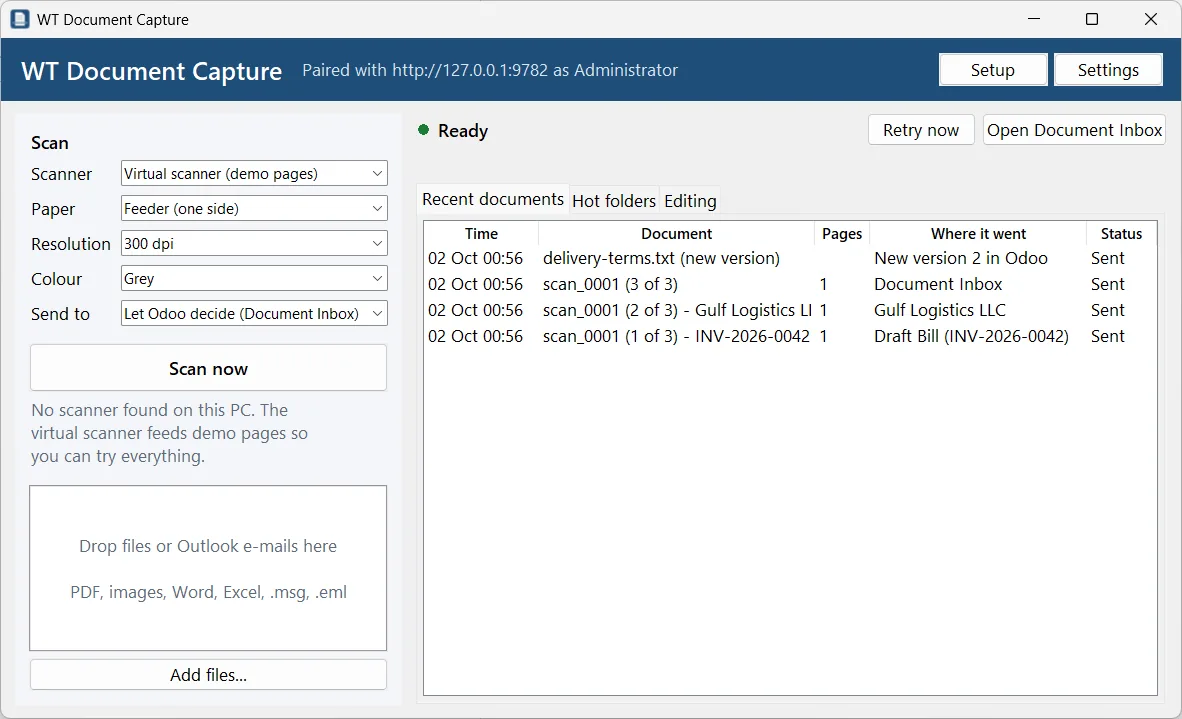
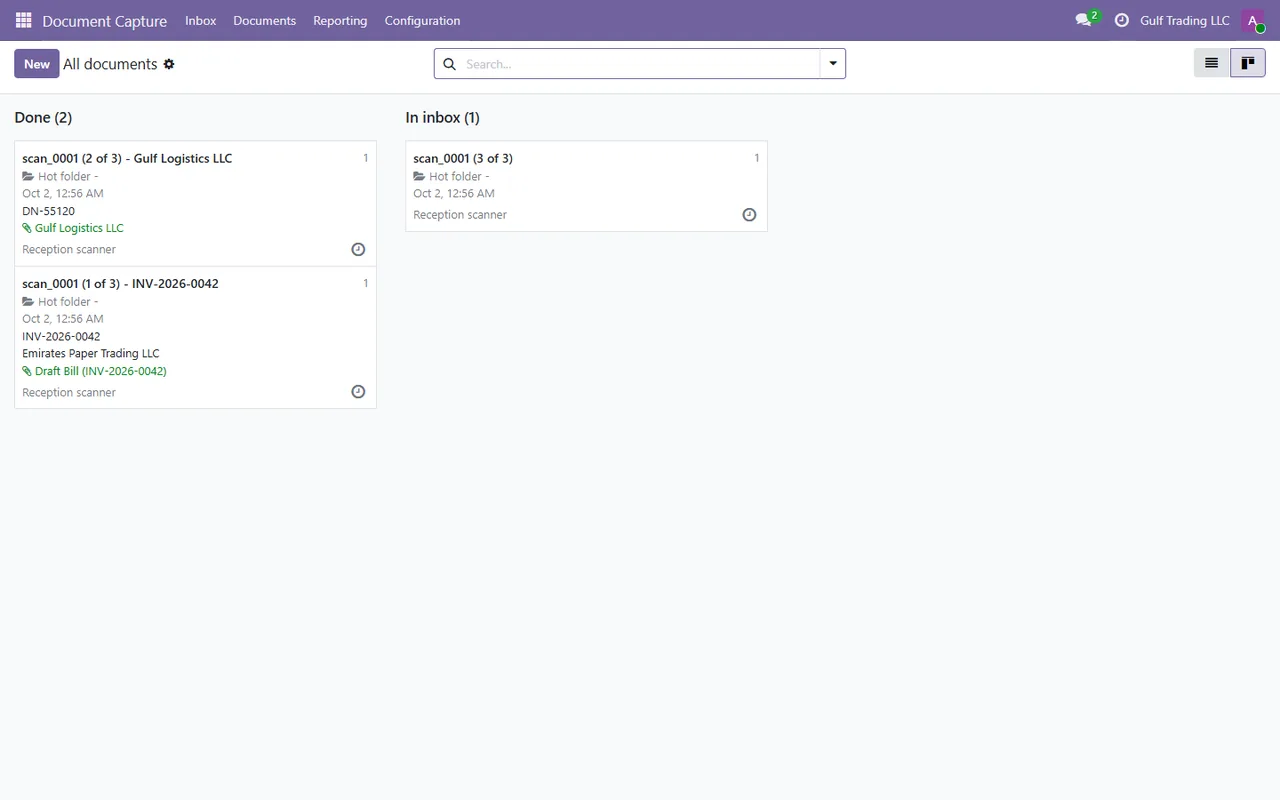
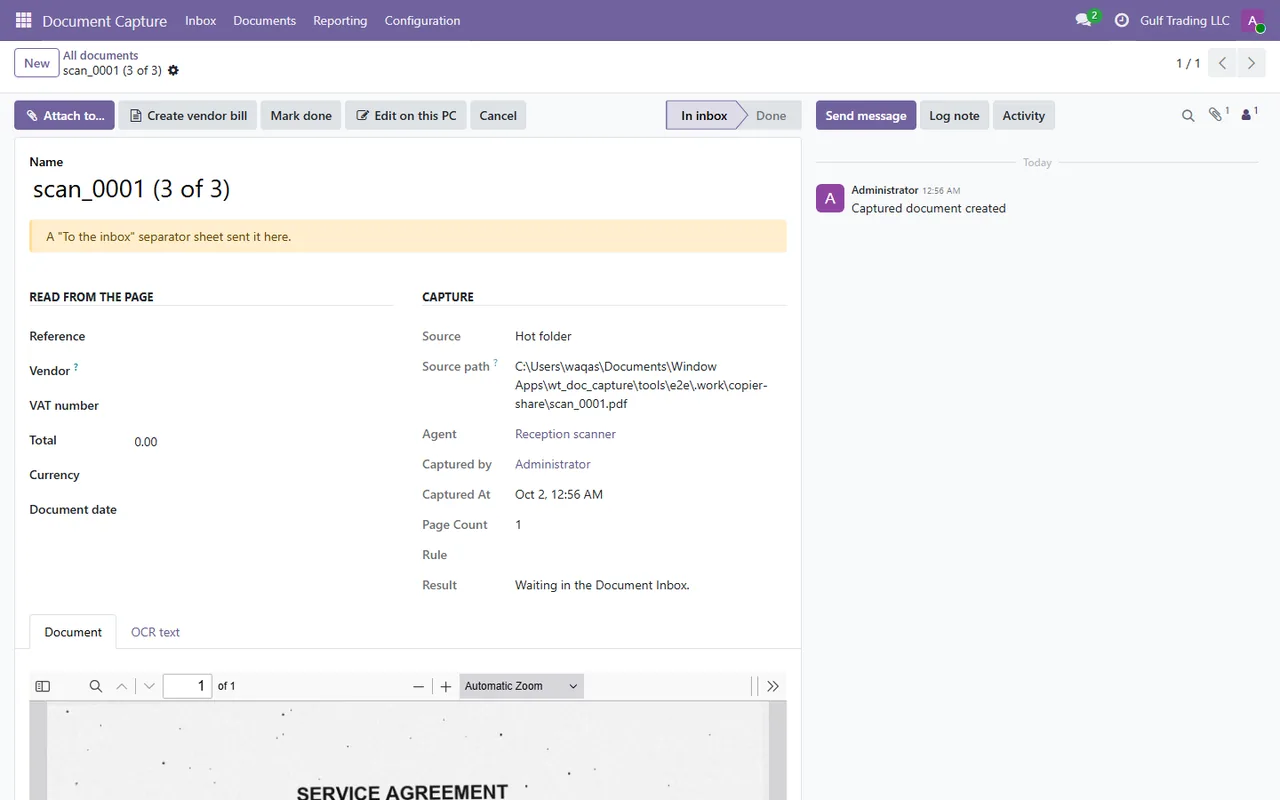
WT Document Capture scans from the office scanner, picks up what the copier saves into a folder, splits a stack on separator sheets, reads the text on the PC, and sends each document to the right place in Odoo: a draft vendor bill, an attachment on a purchase order or contact, or the Document Inbox for someone to sort.
What it does
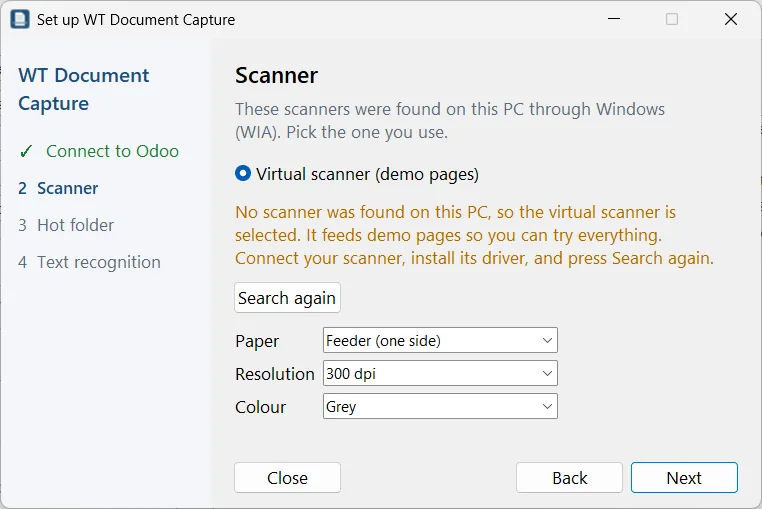
- ✓ Scans through Windows (WIA) with feeder, duplex, resolution and colour settings.
- ✓ Hot folders, including network shares, picked up only once the copier has finished writing the file.
- ✓ Separator sheets split one stack into several documents and can send each one somewhere specific.
- ✓ Text recognition in English and Arabic on the PC, with Tesseract included in the installer.
- ✓ Drag and drop of PDFs, images, Office files and Outlook e-mails with their attachments.
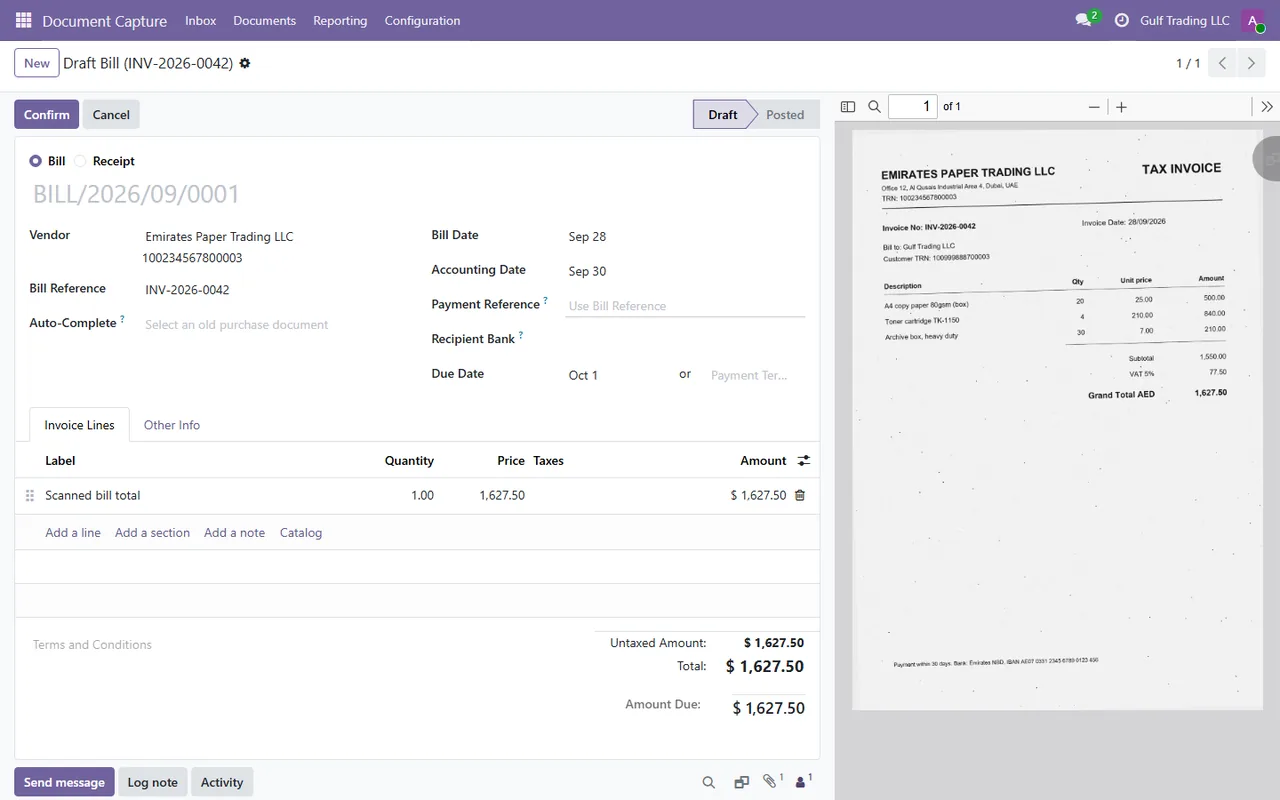
- ✓ Draft vendor bills from the scanned page when Odoo Invoicing is installed.
Screenshots
System requirements
- →Windows 10 or 11, 64-bit
- →No administrator rights needed (installs per user)
- →A scanner with a Windows (WIA) driver, a copier that saves to a folder, or neither (a virtual scanner is included)
- →Odoo 19 Community or Enterprise with the WT Document Capture module
Download WT Document Capture 1.0.0
The installer is free. The app works together with the Odoo module, which you install from the Odoo Apps Store.
Download WT-Document-Capture-Setup-1.0.0.exe- File
- WT-Document-Capture-Setup-1.0.0.exe
- Size
- 55.9 MB (58,613,119 bytes)
- SHA-256
- cd9e82843d14140f4f70796c428cd5b09b10520f6b94dafa59206f777536e6e1
Windows may show a SmartScreen notice until our code-signing certificate is active: click More info, then Run anyway.
You can check the file first: in PowerShell, Get-FileHash WT-Document-Capture-Setup-1.0.0.exe should print the SHA-256 above.
Once installed, the app checks for updates by itself and installs only releases signed by Way4Tech.
Questions before you install?
Tell us about your setup and we will tell you whether WT Document Capture fits, and help with the first install.