
WT Weighbridge
Live truck scale weight in Odoo, captured only when stable, with tickets and camera snapshots.
Free download, 15.9 MB, released 9 October 2026.
Who it is for
For quarries, mills, recyclers, warehouses and any site that weighs trucks in and out and still writes the weights on paper or retypes them into the system.
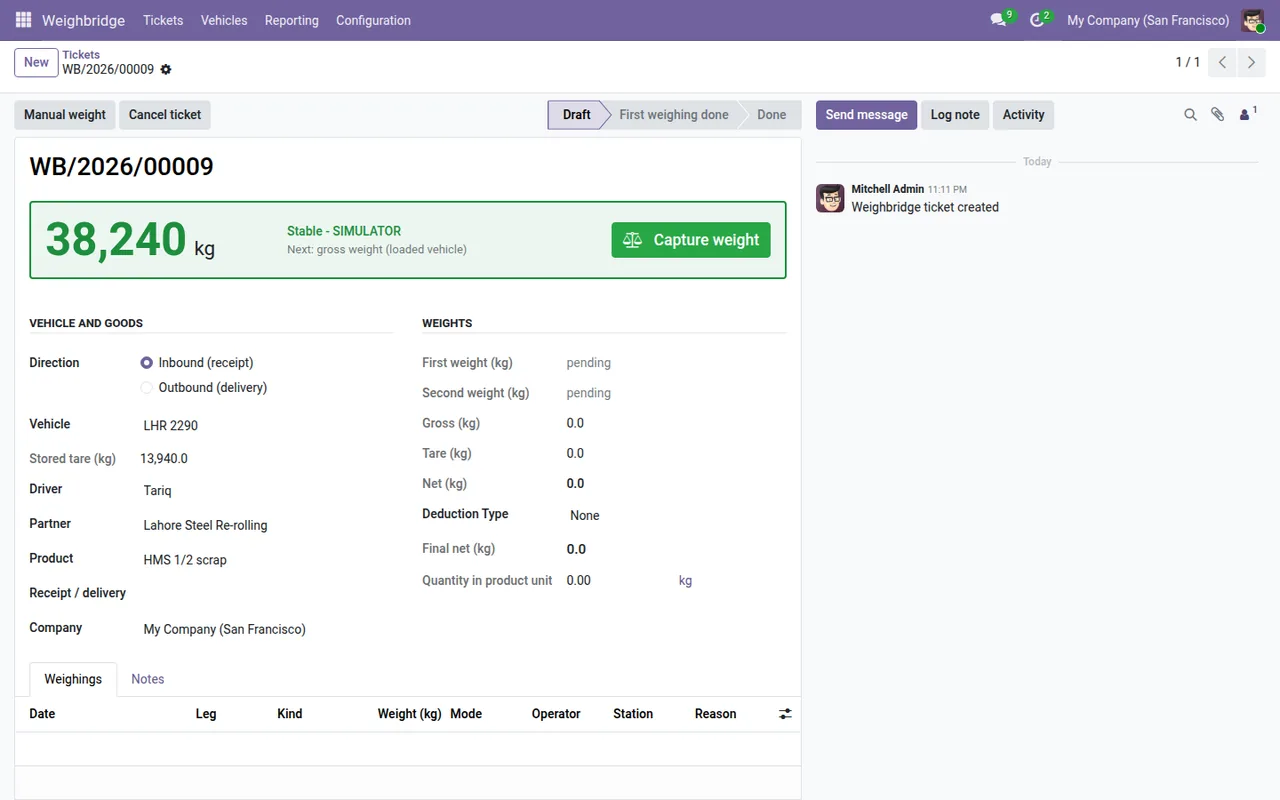
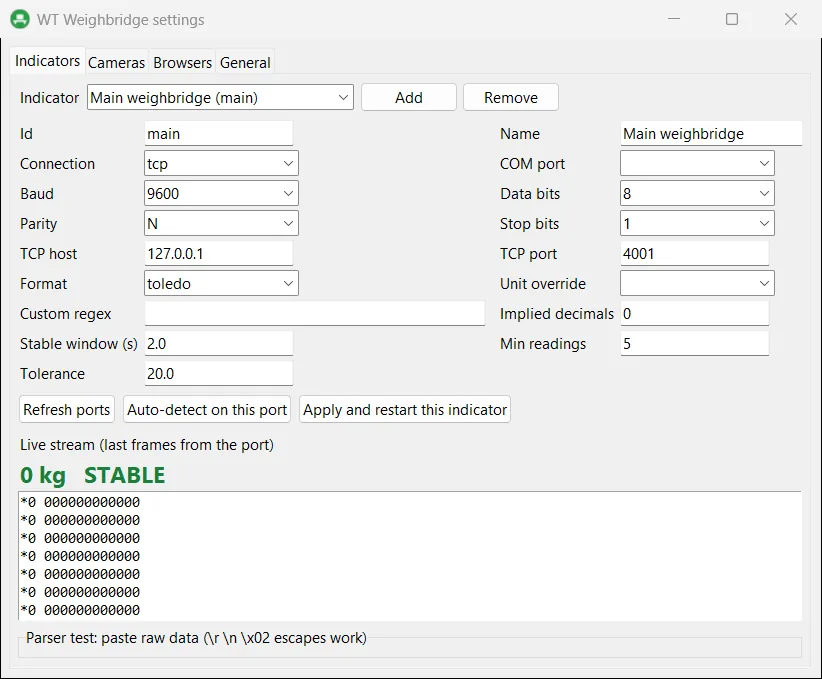
The agent runs on the weighbridge office PC, reads the indicator over a serial port or a serial-to-Ethernet converter, and sends the live weight to the Odoo ticket screen. The operator can only capture a reading once it is stable, and a camera snapshot is stored with each weighing.
What it does
- ✓ Reads common indicator formats in continuous mode, over a COM port or a Moxa, Lantronix or USR converter.
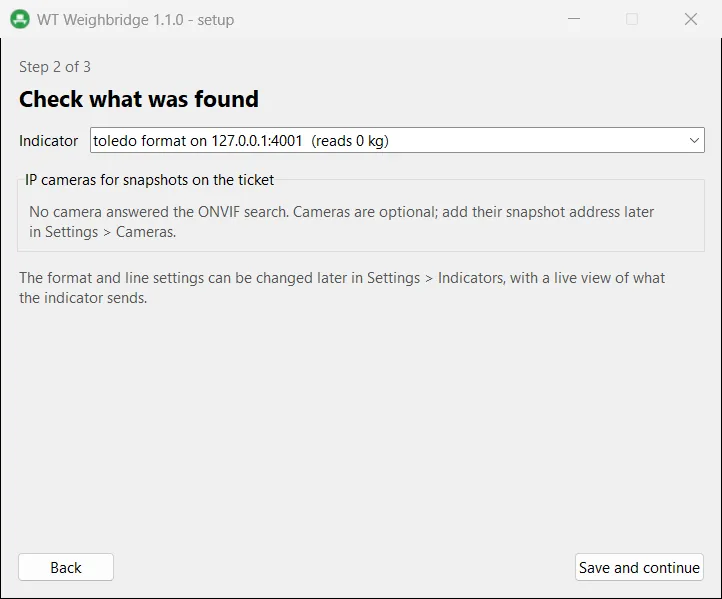
- ✓ Setup wizard that listens on every port and baud rate and recognises the indicator by itself.
- ✓ Finds IP cameras with ONVIF and fills in the snapshot address for Hikvision, Dahua and Axis.
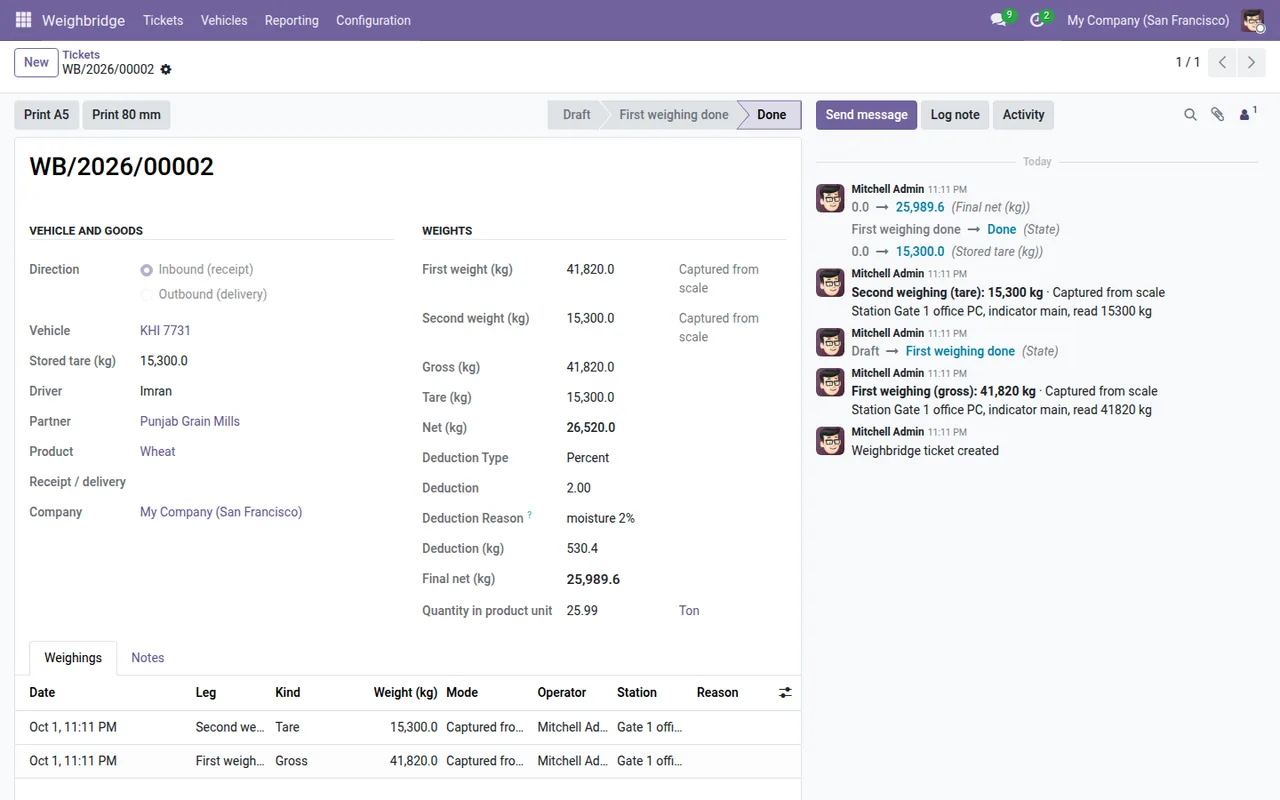
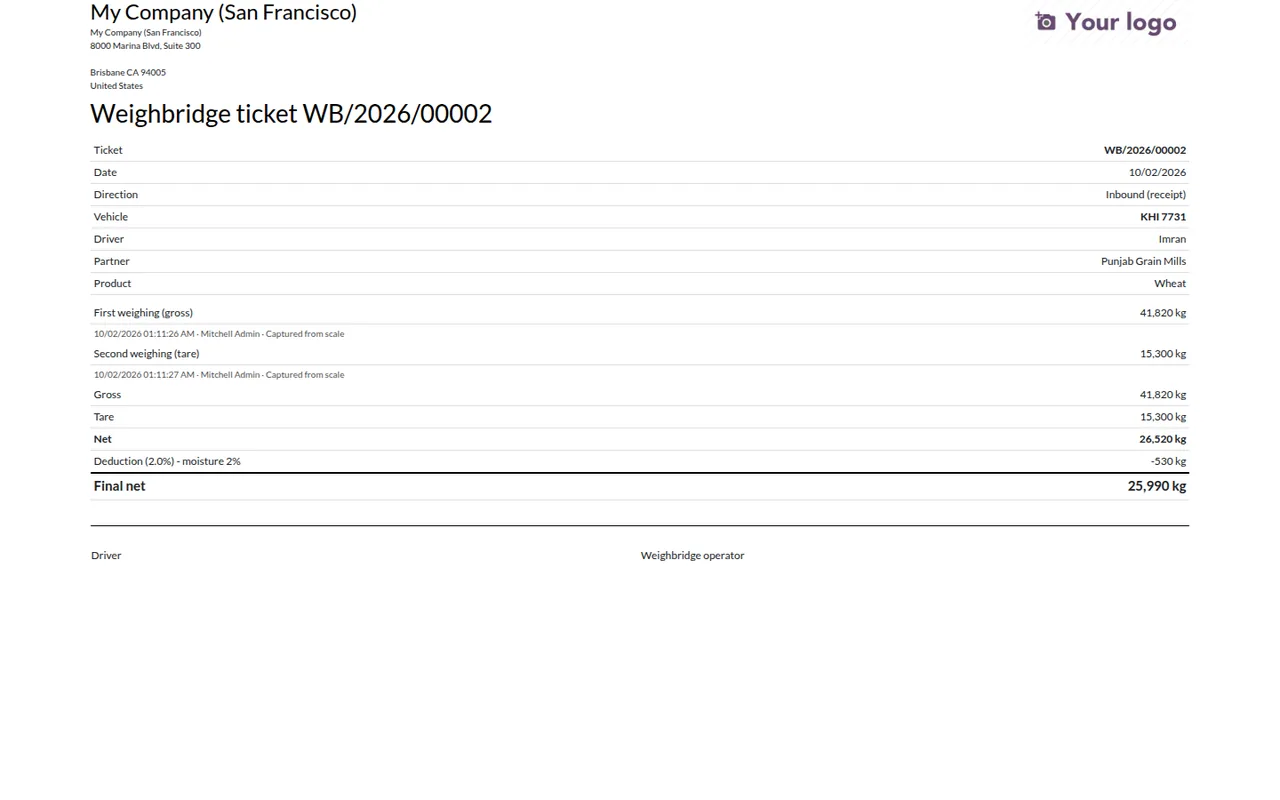
- ✓ First and second weighing on one ticket, net weight calculated, printed ticket from Odoo.
- ✓ Manual weights are allowed only where you permit them, and each override is recorded.
- ✓ Pairs with the operator browser in one click, and has a simulator for trying tickets before the indicator is wired.
Screenshots
System requirements
- →Windows 10 or 11, 64-bit in the weighbridge office
- →No administrator rights needed (installs per user)
- →Indicator serial output set to continuous, on a COM port or a serial-to-Ethernet converter
- →Odoo 19 with Inventory and the WT Weighbridge module
Download WT Weighbridge 1.1.0
The installer is free. The app works together with the Odoo module, which you install from the Odoo Apps Store.
Download WT-Weighbridge-Setup-1.1.0.exe- File
- WT-Weighbridge-Setup-1.1.0.exe
- Size
- 15.9 MB (16,695,600 bytes)
- SHA-256
- 6aafab2187e3b1c6ae7d23850694f37935794e91290f64000891d0d247d910f9
Windows may show a SmartScreen notice until our code-signing certificate is active: click More info, then Run anyway.
You can check the file first: in PowerShell, Get-FileHash WT-Weighbridge-Setup-1.1.0.exe should print the SHA-256 above.
Once installed, the app checks for updates by itself and installs only releases signed by Way4Tech.
Questions before you install?
Tell us about your setup and we will tell you whether WT Weighbridge fits, and help with the first install.